
WoofTalker
Bone-gag dog trainer: takes your words, leaves only barks
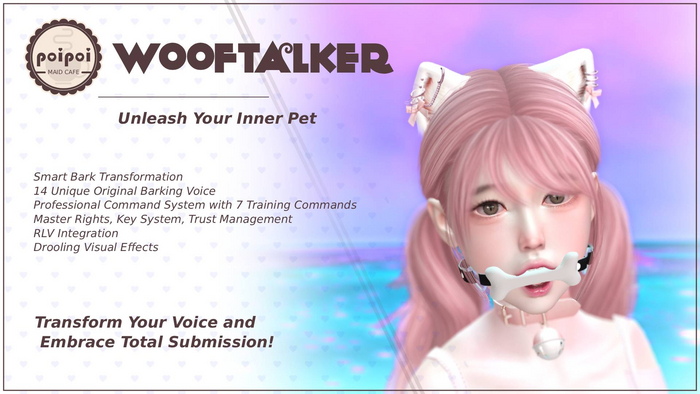
WoofTalker is MeowTalker's dog version: a bone-shaped gag that takes the wearer's voice and hands back only barks. Bite down on the bone and every word comes out a woof: the longer the line, the longer the mumble. Voice commands (or the menu) make the puppy sit, stay, and come; the RLV layer holds them there and keeps the device on until someone with the keys says otherwise. Bring your own collar looks: Plugin Mode hides the bone gag and keeps every bark.
- Bark Spell
- Every line the wearer speaks comes out as puppy barks and whimpers, with authentic pet sounds in both English and Chinese bark patterns. Message length matters: short lines get a quick woof, long ones turn into extended mumbles. A toggle can hide the original message entirely.
- Voice Pet Commands
- Customizable trigger words drive real pet behavior: bark, speak, sit, stand up, stay, come here, let's go. Each command takes multiple triggers ("sit, down, 坐下" all work), and `stay`/`come here`/`let's go` move or freeze the puppy for real over RLV.
- Keys & Trust Circle
- Surrender control to an owner, hand the enchanted keys to a key holder (with special restrictions when someone else holds them), and grant up to 5 trusted users command access. Self-denial removes the wearer's own control entirely.
- RLV Restrictions
- Individually toggleable: outgoing IMs, incoming IMs, starting IMs, chat, and movement. While the device is secured, it can't be detached at all.
- Drool & Plugin Mode
- A configurable drooling particle stream deepens the pet headspace. Plugin Mode hides the mesh while keeping every bark: run it behind a collar's looks, or toggle visibility anytime.
- Bilingual EN/CN
- Full English and Chinese menus and bark patterns, switchable anytime, with personalized display names woven into the transformed messages.
How it works
Getting Started
- Wear the WoofTalker bone gag.
- Touch the gag to open the menu, or use the chat command
[first two letters of your name]woof: wearer "Alice" saysalwoofin public chat, or on private channel 1 (/1alwoof). - Grant animation and RLV permissions when asked.
- From the menu, turn on the Bark Spell and start barking.
Commands work in public chat (channel 0) or on private channel 1, handy for keeping a busy room clean.
Pet Speech
Bark Spell takes the wearer's voice:
- Every spoken line comes out as barks and whimpers: authentic puppy sounds, with separate English and Chinese bark patterns to match the language you speak.
- Length matters: a short line becomes a quick woof; a long line turns into an extended mumble.
- Custom display names are woven into the transformed messages, so the bark still reads as the wearer.
- Prefer silence? A toggle can hide the original message entirely (added in V1.0.1, along with 9 more voices to choose from).
Speak restores normal speech; Bark (re)activates the spell.
Chat Commands
Pet Commands are voice triggers: anyone with access says the word, the puppy obeys:
| Command | Trigger words (example) | Effect |
|---|---|---|
| Bark | bark |
(Re)activate the Bark Spell |
| Speak | speak |
Restore normal speech |
| Sit | sit, down, 坐下 |
Forced sit animation |
| Stand Up | stand |
Release the sit |
| Stay | stay |
RLV movement lock (puppy freezes in place) |
| Come Here | come |
Puppy is pulled toward the speaker |
| Let's Go | go |
Release the stay, back to normal |
Each command takes multiple triggers, separated by commas: mix English and Chinese freely.
Settings ▸ Commands lets you rewrite every trigger list: type the comma-separated words, and they update in real time with validation as you enter them.
Lock & Key Holder
- Take Keys hands the enchanted keys to a key holder: until they choose Return Keys, they hold exclusive control; and while a non-master holds the keys, extra restrictions apply to what the wearer can do.
- A Master/Mistress always sits above the key system with full authority.
- See Access for the wider trust circle.
Access Control
| Setting | Controls |
|---|---|
Master |
One owner with full control |
Trust (up to 5) |
Trusted users who can use commands |
Self Access |
Whether the wearer can reach their own menus |
Public Access |
Whether anyone nearby can interact |
Turn Self Access off for true self-denial: the puppy can hear every command but touch nothing.
RLV Restrictions
With an RLV-enabled viewer (Firestorm, Catznip), the RLV menu offers individually toggleable restrictions:
| Restriction | Effect |
|---|---|
| Send IM | Wearer cannot send instant messages |
| Receive IM | IMs cannot reach the wearer |
| Start IM | Wearer cannot start new IM conversations |
| Chat | Wearer cannot speak in local chat |
| Stay | Movement lock behind the Stay command |
While the device is secured, it cannot be detached at all.
The stay lock, movement control, and detach prevention require RLV. Without an RLV viewer, the Bark Spell and menus still work; the restraints don't.
Settings
| Setting | Description |
|---|---|
| Drool | Drooling particle stream on/off, plus show/hide |
| Plugin Mode | Hide the mesh, keep every feature (for use behind a collar's looks) |
| Voices | Voice selection (9 more added in V1.0.1) |
| Hide Original | Don't show the wearer's original message when barking |
| Commands | Rewrite the trigger words for every pet command |
| Display Name | The name woven into transformed messages |
Language: every menu switches between English and Chinese anytime.