
The Cangue
Chinese wooden cangue: arms pinned, calligraphy charge on display
A traditional Chinese punishment device: a heavy wooden board that locks around the neck in a two-phase animation, leaving the wearer unable to reach their own face or body. Complete with a key holder system, LockGuard leash, RLV restrictions, an auto-unlock timer, and a calligraphy seal to publish the crime on the board. Bilingual English/Chinese interface.
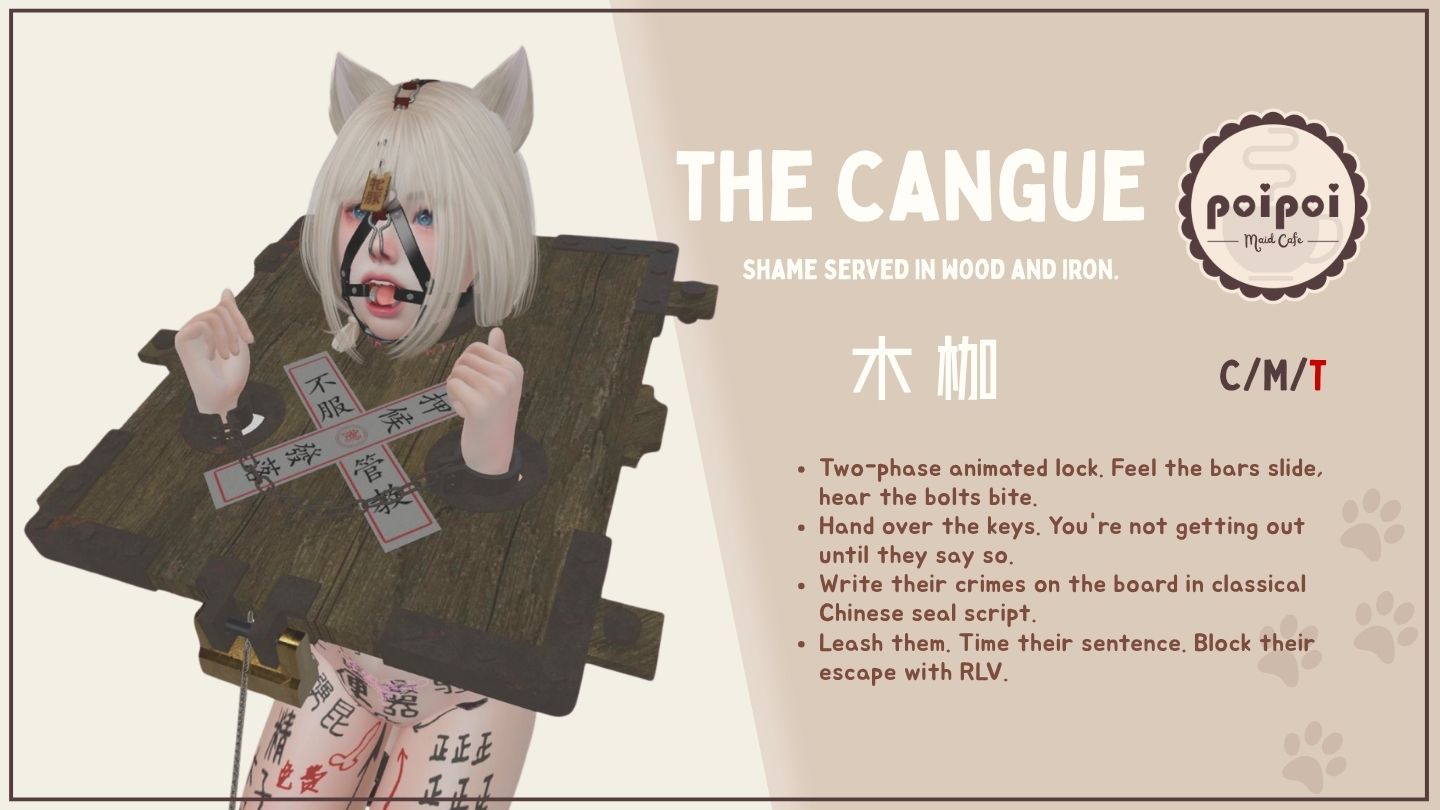
- Animated Lock
- Sliding bars, bolts, and latch animate into place in a two-phase sequence on both lock and unlock, solid mechanics you can watch clamp shut.
- Key Holder
- Once the yoke is locked, any authorized user can take the keys. From then on, unlock control belongs to the key holder and the master alone. It comes off when they say so.
- Calligraphy Seal
- Pick from five traditional seal styles to stamp on the board, or apply your own custom texture: the crime is written right on the yoke, on public display wherever they walk.
- Leash
- LockGuard particle-chain leash: grab it and lead them around, anchor it to a fixed object, or give it a sharp yank. Compatible with all LockGuard-enabled furniture and devices.
- Auto-Unlock Timer
- Game Time and Real Life modes, up to 24 hours. Real Life mode counts down even while logged off: the sentence is served in full, and the yoke unlocks itself when it expires.
- RLV Restrictions
- Block touching, hide inventory, forbid sitting, and shut down every teleport method. Board on neck, going nowhere.
Changelogv1.0.01 update — tap to expand
1.0.0
- Initial release
How it works
Getting Started
- Wear the yoke attachment.
- Open the menu by:
- Touching the yoke, or
- Chat command: say
[first 2 letters of your name]mujiain public chat (channel 0) or channel 1.
- Select
Wearto put on the yoke, thenLockto lock it in place.
Example: if your name is "Alice Example", your command is Almujia.
Default language is English; switch anytime with the 中文 button at the top of the main menu.
Lock & Key Holder
Lock / Unlock
Lock→ lock bars and bolts animate into place in a two-phase sequence; status changes to Locked.Unlock→ the yoke returns to worn-unlocked state (board visible, lock hidden).- If a key holder is set, only the key holder (or the master) can unlock.
Key Holder
Take Keys: available when locked and no key holder is set. The taker becomes the only one who can unlock (alongside the master).Return Keys: only the current holder can return them, releasing unlock control.- Both the wearer and the key holder are notified when keys are taken or returned.
Leash
Leash menu (Leash). Available only when locked; key holder access required.
| Button | Action |
|---|---|
Grab |
Leash to the person who opened the menu (not available for the wearer) |
Anchor |
Scan nearby objects to leash to (10m range) |
Length |
Adjust leash length (1–20m) |
Remove Leash |
Detach the leash |
Yank |
Pull the wearer toward you (grab mode only, grabber only) |
The leash uses LockGuard particle chains and is compatible with LockGuard-enabled furniture and devices.
Access Control
Access menu (Access). Hierarchy: Owner → Trusted (max 5) → Public → Self.
| Button | Action |
|---|---|
Owner+ / Owner- |
Add/remove the master (scans nearby avatars) |
Trusted+ / Trusted- |
Add/remove a trusted user (max 5) |
☑/☐ Self Access |
Wearer self-control on/off (needs a master set first) |
☑/☐ Public Access |
Public access on/off |
RLV Restrictions
RLV menu (RLV). Available only when locked; key holder access required. Detaching is blocked automatically while locked; additional restrictions can be toggled:
| Button | Effect |
|---|---|
☑/☐ Touch |
Prevent touching objects |
☑/☐ Inventory |
Hide inventory |
☑/☐ Sit |
Prevent sitting |
☑/☐ Teleport |
Block all teleport methods |
Clear All |
Remove all optional restrictions (keep the detach block) |
All optional restrictions are cleared automatically when the yoke is unlocked. Requires a Restrained Love Viewer (RLV).
Timer
Timer menu (Timer). Available only when locked; key holder access required. The yoke unlocks automatically when the countdown expires.
| Button | Action |
|---|---|
Start / Stop |
Start/stop the countdown |
+1min / +5min / +30min / +1hr |
Add time to the duration (max 24 hours) |
Reset |
Clear the timer duration |
☐/☑ Real Life |
Switch between Game Time and Real Life mode |
- Game Time: counts down only while the wearer is logged in; pauses on logoff.
- Real Life Time: counts down in real time regardless of login status; if the wearer logs back in after it should have expired, the yoke unlocks immediately.
Settings
Settings menu (Settings): Seal opens the seal texture picker, Resize opens the linkset resizer, Return goes back to the main menu.
Adjustments
Seal Texture
Choose a calligraphy seal to display on the yoke board: Preset 1–5 built-in seals, Custom for a texture UUID of your own, None to remove the seal. Custom UUID format: xxxxxxxx-xxxx-xxxx-xxxx-xxxxxxxxxxxx.
Resizer
Scale the yoke per axis for a perfect fit: Stretch All, Stretch X / Y / Z, Stretch XY / XZ / YZ, in ±1% / ±5% / ±10% increments. Restore resets to the original size; Done returns to the settings menu.