
The Purrfect Control Suit
Straitjacket: escape minigame, keys, auto-release timer
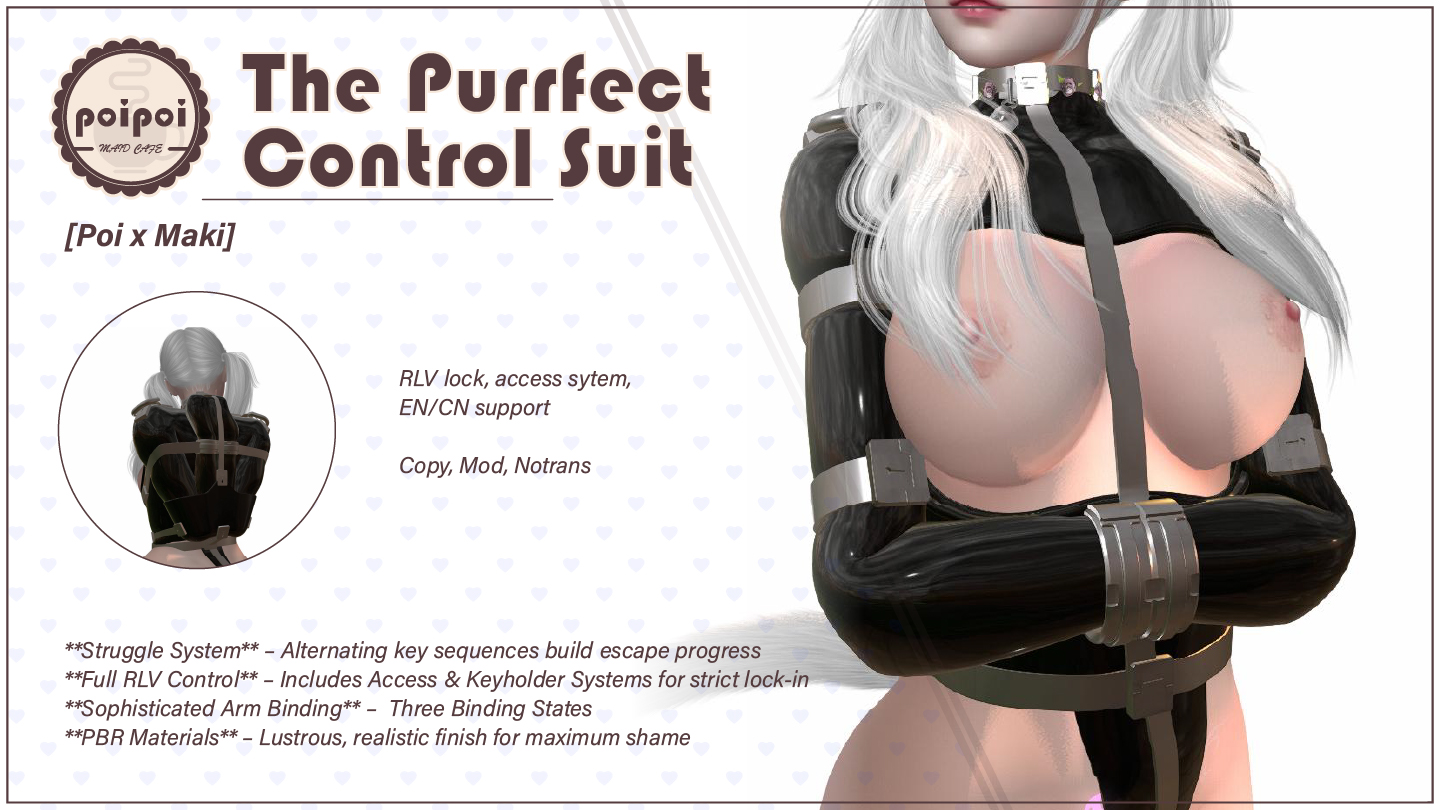
The Purrfect Control Suit is an interactive restraint with an escape mini-game at its heart. Put it on, get bound (arms crossed in front or wrenched behind your back), then fight for freedom by alternating keys while progress decays against you. The tighter it's pulled, the faster your struggles evaporate, and a locked pair of metal straps means no escape at all.
Around that game sits a full control system: owner, trusted users and key holders, a lockable strap state with tamper punishment, a release timer up to 24 hours, RLV viewer restrictions, and automatic alpha-mask and appearance management. An RLV-enabled viewer with PBR rendering is required; animation and control permissions must be accepted.
- Escape Mini-Game
- Fight for freedom by alternating the A and D keys while progress decays against you: the tighter the jacket, the faster it slips away. Reach 100/100 and the sleeves let go… if the straps aren't locked. Random latex-squeeze interference events and avatar collisions can set you back mid-struggle.
- Front & Back Binding
- Crossed and buckled against your chest, or wrenched back and locked behind you: switch styles any time it's unlocked. Your choice persists across sessions, meshes swap automatically with PBR materials intact, and alpha masks are managed for you.
- Lock & Keys
- Lock the metal straps and escape becomes impossible. Anyone with access can take the keys; from then on, only the key holder decides when you're freed. Tamper with the menu or the lock and you're punished automatically.
- Release Timer
- Set a countdown of up to 24 hours while locked. When it expires, the automatic release fires: the jacket unlocks and every RLV restriction is cleared, no mercy, no early outs.
- Full Access Control
- Owner, trusted users (up to 5), public access, and a self-access switch for true self-denial: turn it off and even you can't reach the controls. A clear hierarchy decides who can bind, tighten, and lock you.
- RLV Restrictions
- Toggle touch, edit, inventory, attachment and more from the RLV menu, all enforced while the jacket is worn. Removing it through the viewer? Not an option: wear and unwear run through the menu only.
How it works
Getting Started
- Wear the jacket: in your inventory, right-click → Attach.
- On first wear, accept the animation and control permission requests.
- Open the menu: touch the jacket, or use the chat command:
- Format:
[first two letters of your name]jacket(case insensitive) - Say it in public chat, on channel 1, or on channel 233
- Example: "Alice" → type
aljacket
- Format:
- Your exact command is shown in the menu header ("Command:") and announced when the device initializes.
An RLV-enabled viewer with PBR rendering is required; animations and RLV features need the viewer's permission prompts to be accepted. While the struggle mini-game is active, the menu is blocked for everyone.
Binding & Poses
Three binding states are supported:
- Unbound: arms free (jacket unworn)
- Arms Bound Front: arms crossed and buckled against the chest
- Arms Bound Behind: arms wrenched back and locked
The binding style persists across sessions; re-attaching the jacket re-applies it automatically. The visual meshes switch automatically between the unbound, front-bound and back-bound builds while preserving PBR materials. Alpha masks are managed for you: bound states wear the jacket alpha, the unbound state wears the hands alpha, and both are removed automatically when the jacket comes off.
Struggle Mini-Game
Open from the main menu with Struggle (wearer only). The menu shows current progress, tightness and range, decay rate, auto-struggle state, and lock status.
- Start Struggle: begins the game. Progress starts at 0/100.
- Enable Auto / Disable Auto: hands-free mode that builds progress automatically each tick (manual A/D input is ignored while enabled).
- Return: back to the main menu.
How it works
- Alternate the A and D keys (left/right rotation) rapidly. Each successful alternation adds progress; pressing the same key twice in a row does nothing.
- Progress constantly decays at a rate based on the current tightness: the tighter the jacket, the faster the decay.
- Any other movement key stops the struggle (progress is kept and reported).
- Your movement is completely locked down while the struggle is active.
- Reaching 100/100 while unlocked frees your arms and removes the jacket. While locked, reaching the peak changes nothing: escape is impossible until the straps are unlocked (auto-struggle falls back to 50 and keeps going).
- Progress reaching zero does not end the game; you can keep struggling.
Floating text
While struggling, colored floating text shows STRUGGLING..., a 10-segment progress bar with x/100, the tightness and its range, and (when locked) LOCKED - Cannot escape!. The color shifts red → green with progress. It can be hidden in Settings.
Interference events
Each key press has a small (3%) chance to trigger a random latex-tightening event: a chat message, a latex squeeze sound, a 50-point progress penalty, and an arousal/moan effect when used with compatible arousal systems. Auto-struggle uses a lower chance. The messages can be disabled in Settings (the penalty still applies).
Collisions
If another avatar collides with you mid-struggle, you stumble: a stumble animation plays and progress is reduced (the loss grows with tightness; 2-second cooldown between collisions).
Tightness
Non-wearers with access can Tighten / Loosen in steps of 10 via the main menu. The default range is 20–80 (configurable). Tightness sets the struggle decay rate: higher tightness means faster decay and bigger collision penalties. Current tightness is shown on the main panel, in the struggle menu and in the floating text.
Lock & Key Holder
- Lock secures the metal straps: movement is restricted, the jacket cannot be removed, and struggle can never reach escape.
- Take Keys (shown to anyone with access while locked and the keys are free) claims the keys. While keys are held:
- Only the key holder (and the owner; trusted users additionally when the holder is not the owner) can unlock, use the timer or open the RLV menu. Everyone else gets
Access Denied. - The wearer attempting to get in triggers automatic tamper punishment.
- Only the key holder (and the owner; trusted users additionally when the holder is not the owner) can unlock, use the timer or open the RLV menu. Everyone else gets
- Return Keys: the key holder can hand the keys back at any time. Unlocking the device also returns the keys automatically.
Opening the main menu without any access also triggers tamper punishment for the wearer.
Timer
The Timer button appears on the main menu while the jacket is locked. The timer menu shows duration and status with hour:minute:second precision.
| Button | Action |
|---|---|
+1min / +5min / +30min / +1hr |
Add time to the duration (only while stopped; max 24 hours total) |
Start / Stop |
Run or halt the countdown |
Reset |
Clear the duration back to zero (only while stopped) |
When the timer expires, the automated release triggers by itself: the jacket unlocks (arms remain bound in the sleeves) and all RLV restrictions are cleared. Timer state survives detaching and re-attaching the jacket.
Access Control
Access menu (Access). The panel lists the owner and trusted users.
| Button | Action |
|---|---|
Owner+ / Owner- |
Scan avatars in the region to set as owner (full control; setting an owner removes them from the trusted list), or remove the owner (self access is automatically re-enabled) |
Trusted+ / Trusted- |
Scan avatars within 25 m to add as trusted (max 5; the owner cannot be added), or pick one from the list to remove |
☑/☐ Self Access |
Wearer's own control on/off: true self-denial (requires an owner set first) |
☑/☐ Public Access |
When on, anyone can use the controls; when off, only owner/trusted/self (if allowed) |
Access priority: Owner > Wearer (if self access allowed) > Trusted > Public. Users without access see Access Denied and only a Return button.
Settings
Settings menu (Settings):
| Setting | Action |
|---|---|
☑/☐ Float Text |
Show/hide the struggle progress floating text |
☑/☐ Crotch Hide |
Conceal or reveal the crotch cover piece (applied immediately) |
☑/☐ Interference |
Show/hide the random struggle interference chat messages (the progress penalty still applies) |
Settings apply immediately and are restored on re-attach. The 中文 / EN button on the main menu instantly switches every menu, message and status text between English and Chinese.
Advanced tuning lives in the Straitjacket.Config notecard inside the object (one parameter = value per line, # lines are comments). Changes hot-reload whenever the object's inventory changes (no reset needed), and safe defaults apply if the notecard is missing.
| Parameter | Range | Shipped value | Meaning |
|---|---|---|---|
struggle_base_boost |
0.5–3.0 | 3.0 | Progress gained per successful A/D alternation (higher = easier escape) |
decay_multiplier |
0.01–0.05 | 0.05 | Decay rate = tightness × multiplier (higher = faster decay, harder escape) |
auto_struggle_rate |
0.1–2.0 | 1.0 | Progress per auto-struggle tick (higher = stronger auto-struggle) |
min_tightness |
10–50 | 20 | Minimum tightness level |
max_tightness |
60–100 | 80 | Maximum tightness level |
default_tightness |
min–max | 50 | Starting tightness |
RLV Restrictions
Open with RLV Menu from the main menu (only while worn; key-holder rules apply). Buttons show ✅ when a restriction is OFF and ❌ when it is ON; press to toggle:
| Button | Effect when restricted |
|---|---|
Touch All |
Cannot touch anything |
Far Touch |
Cannot click distant objects |
Touch HUD |
Cannot click HUDs |
Edit |
Cannot edit objects |
Rez |
Cannot rez/create objects |
Wear |
Cannot attach additional items |
Inventory |
Inventory window hidden |
- Clear All: lift every restriction listed above.
- While the jacket is worn, a detach lock prevents removing it via the viewer; wearing/unwearing through the menu manages this automatically.
- Restrictions are recovered after re-login or re-attach. When the release timer finishes, all restrictions are cleared.