
The Reward Button
PA2 reward button: authorized pressers hand out the reward
The Reward Button is a PA2-powered treat dispenser: mount it, set who it rewards and how, and let anyone with access press it. A press checks access and distance, announces itself with your custom line, plays its click, and delivers the reward (orgasm, super orgasm, or a pure arousal pump) to every configured target at once. Requires Project Arousal 2.
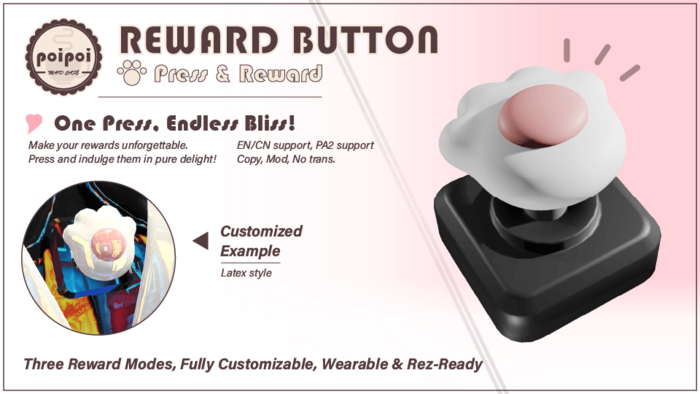
- Three Reward Modes
- Orgasm triggers a PA2 orgasm; Super Orgasm escalates it: a forced super orgasm on the wearer, or a massive arousal surge on anyone else standing on the button. Arousal mode simply pumps the target's PA2 arousal by a configurable amount.
- Programmable Targets
- Reward the wearer, or a list of specific people: every press rewards every configured target at once. Set it in the Button.Config notecard: SELF, or a comma-separated list of names' keys.
- Full Access Control
- One Owner with total control, up to five Trusted users, a Public Access toggle for passers-by, and a Self Access switch so the wearer can press their own bliss. All managed from the bilingual in-world menu.
- RLV Locking
- When worn, the menu's Lock button uses RLV to keep the button on the wearer: no sneaking it off between rewards.
- Tuned Per Button
- Cooldown between presses, maximum press distance, hover text with custom color and alpha, custom announced lines with {toucher} and {target} placeholders, and a forced-moan toggle, all set in the Button.Config notecard.
- Bilingual Interface
- Every menu, message, and announcement ships in both English and Chinese: switchable live from the main menu, with a dedicated Chinese config notecard included.
How it works
Getting Started
The Reward Button is a PA2-powered reward dispenser: anyone allowed to press it delivers a configured reward (orgasm, super orgasm, or an arousal boost) to the configured target(s).
Requires Project Arousal 2 on the wearer (and on any other configured target).
Quick Start
- Wear or rez the button.
- Open the menu: touch it, or say the command in normal chat or on the private channel.
- Set access (see Access Control); by default only the wearer can press.
- Configure targets, mode, and flavor in the
Button.Confignotecard inside the button (see Settings). - Press. Bliss follows.
The Chat Command
The command is built from the wearer's account name: the first 2 characters + btn.
| Wearer account | Command |
|---|---|
poiappoi |
pobtn |
yochi |
yobtn |
Say it in normal chat or on the private channel to open the menu from anywhere in local range.
Who Gets Rewarded
Targets are set in Button.Config (see Settings): SELF rewards the wearer, a key list rewards specific people, and every press rewards all configured targets at once. With no targets configured, the wearer is rewarded.
Access Control
Access Control
Managed from the main menu's Access page. Every press is checked in this order: Owner → wearer (if Self Access is on) → Trusted → Public Access.
| Button | Action |
|---|---|
Owner + / Owner - |
Add / remove the single Owner (scan-based selection) |
Trusted + / Trusted - |
Add / remove Trusted users (up to 5), with access to everything except the Access menu |
☑/☐ Self Access |
Whether the wearer may press. Only an Owner/Trusted can turn it off |
☑/☐ Public Access |
Whether anyone nearby may press |
Back |
Return to the main menu |
With no Owner set, Self Access cannot be turned off: otherwise the button could lock out its own wearer.
Lock & Key Holder
Lock
While the button is worn, Lock in the main menu uses RLV to prevent detachment: the wearer cannot take it off, and it stays through relogs until someone with menu access presses Unlock.
| Button | Action |
|---|---|
Lock |
RLV-lock the button onto the wearer |
Unlock |
Release the lock |
Requires an RLV-compatible viewer for the wearer.
Orgasm Control
Reward Modes
Set in Button.Config: what each press delivers through PA2:
| Mode | Effect |
|---|---|
ORGASM |
Triggers a PA2 orgasm on each target |
ORGASM_SUPER |
Default. On the wearer: a forced super orgasm. On any other target: a massive arousal surge |
AROUSAL |
Adds the configured arousal amount (default 100) to each target |
PA2 can only force a full super orgasm on the wearer, so super mode on other targets lands as the largest arousal surge PA2 allows.
Per-Press Checks
Each press, in order:
- Access: presser must pass the access check above, or the press is ignored.
- Cooldown: presses closer together than the configured cooldown (default 3 s) are refused with a cooling-down notice.
- Distance: the presser must be within the configured range (default 5 m).
On success: your configured pressed line is announced, the click plays, the reward is delivered, and the rewarded line follows. If the moan toggle is on, targets moan on delivery.
Settings
All tuning lives in the Button.Config notecard inside the button (a Button.Config.CN variant with Chinese comments is included). Edit and save; reset via the menu or re-rez to reload.
| Parameter | Default | Meaning |
|---|---|---|
poi_btn_set_targets |
SELF |
SELF, or a comma-separated list of avatar keys, all rewarded per press |
poi_btn_set_mode |
ORGASM_SUPER |
Reward mode, see above |
poi_btn_set_cooldown |
3 |
Seconds between accepted presses |
poi_btn_set_distance |
5 |
Max meters from the button the presser may stand |
poi_btn_set_hover_text |
☛ Reward Me!☚ |
Floating text; empty hides it |
poi_btn_set_hover_text_color |
<1.0, 0.4, 0.7> |
Hover text RGB color |
poi_btn_set_hover_text_alpha |
1.0 |
Hover text opacity |
poi_btn_set_button_pressed_text |
(preset) | Announced on press; supports {toucher} and {target} placeholders |
poi_btn_set_button_rewarded_text |
(preset) | Announced on reward; same placeholders |
poi_btn_set_moan |
1 |
Forced moan on reward delivery |
poi_btn_set_arousal_amount |
100 |
Arousal added per press in AROUSAL mode |