
The Purrfect Yoke
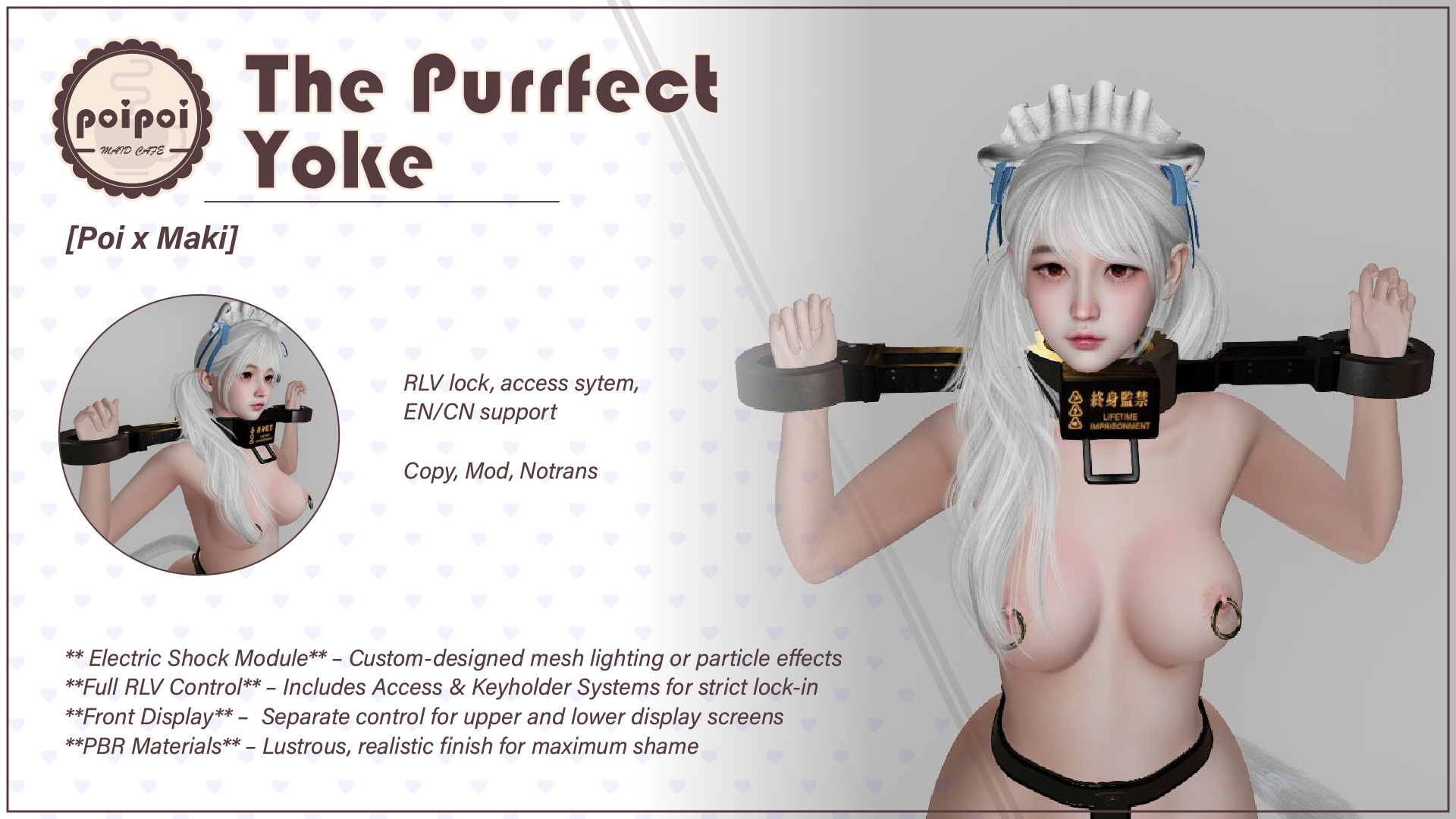
Metal yoke: locks both arms, shocks and timer included
A metal yoke restraint: arms locked in place the moment it closes, with a key holder system, leash, shock punishment, a 24-hour auto-unlock timer, and RLV restrictions. Bilingual Chinese/English interface, switchable anytime.
- Lock & Keys
- Locking forces the arms-up restraint pose and makes the yoke undetachable. Take the keys and become the one and only key holder. A wearer who dares touch Unlock gets a teasing line and a shock.
- Auto Restraint
- The restraint animation starts the instant it locks, pinning both arms to the yoke, and ends automatically on unlock: nothing to manage by hand.
- Smart Leash
- Anchor it to a nearby object or hand the leash to another person. Adjustable 1–20m length, pulled back when out of range, with optional auto-shock for straying. LockGuard handles supported.
- Shock Punishment
- Lightning effect, shock sound, screen darkening, and a shock-reaction animation: a punishment everyone can see and hear. Turn on Tamper Punish and let struggling speak for itself.
- Auto-Unlock Timer
- Countdown up to 24 hours with live remaining time that survives relog: when it hits zero the yoke unlocks itself, and not a second sooner.
- Dual Displays & Dual Mode
- Two screens, separately configurable text: Lifetime Imprisonment, Death Row, On Parole... one-click presets. And the whole thing toggles between full yoke and collar-only looks.
How it works
Getting Started
Three ways to open the menu:
- Touch the yoke.
- Chat command: say
<prefix>yokein public chat (channel 0) or on channel 1, where the prefix is the first two letters of your avatar (legacy) name. Example: if your name is "Alice Example", sayalyoke. - Touch by others: anyone with permission can touch your yoke to open the menu.
On first wear, the system announces your personal menu command in local chat.
Public Access and Self Access are both enabled by default: anyone can interact. Tighten this via Access Control if you like.
Lock & Key Holder
Lock / Unlock
🔒 LOCK→ plays a lock sound, forces both arms into the restraint pose, applies the no-detach RLV restriction, and shows the lockwork.🔓 UNLOCK→ freedom again. If a key holder is set, only the key holder, the owner, or trusted users may unlock.
Key Holder
- While locked,
🗝 TAKE KEYSmakes you the key holder, with a confirmation sound; both wearer and holder are notified. - Who can unlock: an ordinary key holder: the key holder, owner, and trusted users; if the owner holds the keys: only the owner and key holder.
🗝 RETURN KEYSis for the current holder only; after returning, anyone can take the keys.
Tamper Protection
An unauthorized unlock attempt by the wearer always draws a teasing message; if ☑/☐ TAMPER PUNISH is enabled (default on), it also triggers a shock.
Leash
Main menu (while locked) → 🔗 LEASH:
| Button | Action |
|---|---|
⚓ ANCHOR |
Anchor the leash to a nearby object (within 10m) |
✊ GRAB |
Hand the leash to another avatar |
🔌 REMOVE LEASH |
Release the leash |
💪 YANK |
Pull the wearer closer (grabber only) |
📏 LENGTH |
Adjust leash length (1–20m) |
☑/☐ AUTO SHOCK |
Shock when pulled beyond range |
- Anchoring: a particle chain connects the wearer to the chosen object, and movement is limited to the leash length.
- Grab: the other person opens the leash menu and clicks
✊ GRAB: the chain attaches to them, preferring a LockGuard-compatible handle if they wear one. - Yank: pulls the wearer straight to the grabber's position, force-unsitting them if seated.
- Movement also feeds the arousal system: the more they struggle, the more they feel.
Punishment
Main menu (while locked) → ⚡ PUNISH:
| Button | Action |
|---|---|
☑/☐ TAMPER PUNISH |
Auto-shock on unauthorized unlock attempts |
⚡ PUNISH |
Trigger punishment immediately |
Punishment effect: lightning visuals (mesh or particle, configurable), shock sound, screen darkening, and a shock-reaction animation.
Timer
Main menu (while locked) → ⏱ TIMER. Set a countdown that auto-unlocks the yoke when it finishes.
| Button | Action |
|---|---|
▶ START / ⏹ STOP |
Start / pause the countdown |
🔄 RESET |
Clear the duration to zero |
+1MIN +5MIN +30MIN +1HR |
Add time |
- Maximum 24 hours; remaining time is shown live while running.
- The countdown survives relog and resumes when the yoke is worn again.
Example for 30 minutes: +30MIN (shows 00:30:00) → ▶ START; 30 minutes later it unlocks itself.
Adjustments
Fit Adjustment (🔧 ADJUST)
Fine-tune the fit by moving the two yoke halves closer together or further apart:
| Button | Action |
|---|---|
↔ MOVE TOWARD / ↔ MOVE AWAY |
Move the halves 1 cm per press |
💾 SAVE POSITION |
Save the current positions as the new default |
🔄 RESET |
Return to the saved positions |
📏 RESIZER |
Open the resizer menu |
Current and max separation are shown at the top of the menu; separation adjusts up to 1m in either direction. Saved positions survive relog.
Screen Text (🖥 DISPLAY)
The upper and lower screens are configured separately, with one-click presets:
Lifetime Imprisonment · Slave · Prisoner · Death Row Inmates · Exiled · On Parole
Mode Switching
The 🔄 MODE: YOKE / 🔄 MODE: COLLAR button in the main menu toggles between two looks:
- Yoke mode: the full yoke is visible with the arms-up restraint animation active.
- Collar mode: collar-only appearance, a different visual style.
The button shows the current mode; click to switch.
Access Control
Access menu (🔐 ACCESS). Hierarchy: Owner → Trusted (max 5) → Public → Self.
| Button | Action |
|---|---|
👤 OWNER+ / 👤 OWNER- |
Scan nearby avatars to set / remove the owner |
❤ TRUSTED+ / ❤ TRUSTED- |
Add / remove a trusted user (max 5; the owner can't be on the trust list) |
☑/☐ SELF ACCESS |
Wearer's own menu access (disabling requires an owner set first) |
☑/☐ PUBLIC ACCESS |
Public access on/off |
Setting an owner lists up to 10 nearby avatars to pick from. Defaults: Self Access and Public both on.
RLV Restrictions
Main menu (while locked) → ⚙ RLV (requires a Restrained Love Viewer):
| Restriction | Effect |
|---|---|
Teleport |
Block all teleportation |
Far Touch |
Block remote object interaction |
Touch |
Block all touch interactions |
Inventory |
Hide inventory access |
✅ = restriction OFF (allowed), ❌ = restriction ON (blocked). 🧹 CLEAR ALL removes every optional restriction at once.
The no-detach restriction is always applied automatically while locked, and lifted on unlock.
Settings
Fine-tuning lives in the Yoke.Config notecard inside the yoke: save it and changes apply immediately. For example, choose mesh or particle lightning for the shock effect (0 = particle, 1 = mesh).
Troubleshooting:
- Menu not responding: check the chat command and your access permission.
- Cannot unlock: check whether a key holder is set; contact them or the owner.
- Leash not working: the target must be within 10m; in grab mode the grabber must use the menu.
- RLV not working: use an RLV-compatible viewer with RLV enabled in its settings.
For other issues or feature requests, please contact the creator.