
The Purrfect Mitts
Bondage mitts: both hands lock in sync, particle-chained
The Purrfect Mitts is a synchronized dual-mitt metal hand restraint system. Two mitts, a main controller on the right hand and a slave mitt on the left, lock and unlock as one, seal on with a no-detach guard, and link together with a LockGuard particle chain. Once your paws are in, mitten hands are all you have.
While locked, pick from six upper-body restraint poses, layer on RLV restrictions, and let the key system decide who holds your fate. Access control covers owner, trusted users, self, and public access, with bilingual English/Chinese menus throughout.
An RLV-enabled viewer (e.g. Firestorm with RLVa) is needed for the RLV features and the no-detach lock.
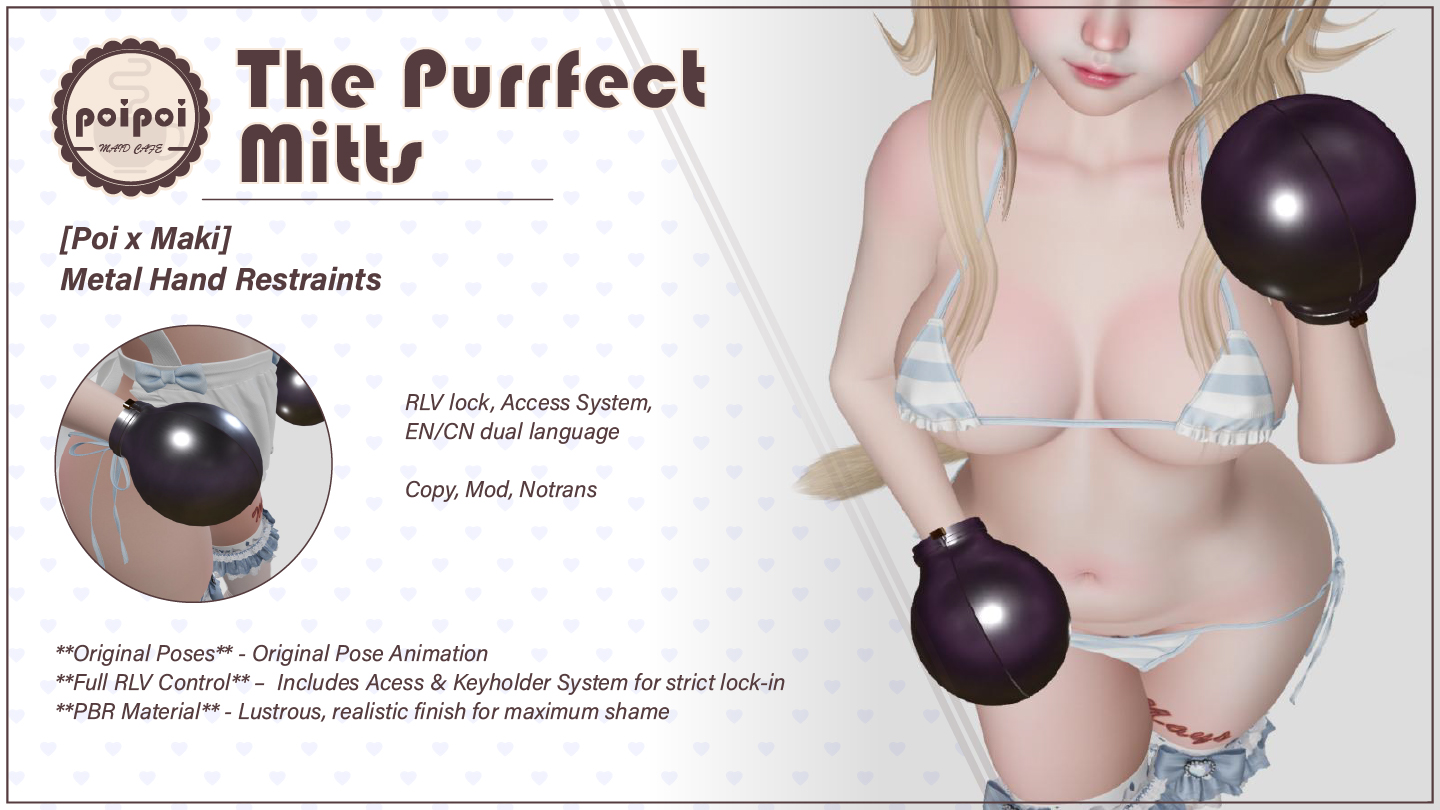
- Synchronized Lock
- Two mitts, one lock. The main controller (right hand) and the slave mitt (left hand) lock and unlock together: locking also seals them on with a no-detach guard, so they stay put until someone decides otherwise.
- Key System
- Once locked, anyone with access can take the keys. From that moment, unlocking, poses, the chain, and RLV all answer to the key holder: hand them over and see how convincing you can be.
- Particle Chain
- A LockGuard particle chain links the two mitts, taut between your paws. Toggle it from the menu while locked; it drops automatically the moment the mitts unlock or come off.
- Six Restraint Poses
- Hands behind the head, arms bound high or low behind the back, straight-arm variants, or demure hands in front: six upper-body poses while locked, each auto-refreshed every 2 seconds so nothing overrides your helplessness.
- RLV Restrictions
- Six viewer restrictions (touch all, far touch, touch world, touch HUD, edit, inventory) applied individually or all at once, remembered across relogs, and fully cleared on unlock.
- Access Control
- Owner, trusted list (up to 5), self access, and public access, all configured from a strictly guarded menu. English and Chinese menus switch with one button.
Changelogv1.0.01 update — tap to expand
1.0.0
- Initial release
How it works
Getting Started
- Wear both mitts: right-click each mitt → Attach, the right mitt to your Right Hand, the left mitt to your Left Hand.
- On attach, the mitts announce the menu command in chat:
- Format:
[first two letters of wearer name]mitts(case insensitive) - Say it in public chat or on channel 1
- Example: wearer "Jomuri" → type
Jomitts
- Format:
- Open the menu: touch either mitt (the left mitt relays the touch to the main menu), or say the command.
- While worn, the mitts continuously play a "mitten" hand animation, no action needed.
The RLV features and the no-detach lock require an RLV-enabled viewer (e.g. Firestorm with RLVa enabled).
Lock & Key Holder
Available while the mitts are locked.
- Take Keys (anyone with access, while locked and no key holder exists): the first person to take the keys becomes the key holder. Announced as
Key has been taken by <name>; the taker seesYou have taken the keys of <name>. If already held:Key has already taken by <name>. - While a key holder exists, unlocking, the Poses menu, the Chain toggle, and the RLV menu are only available to the key holder and the Owner (Master), and, if the key holder is not the Master, also to trusted users. Everyone else gets
Access Denied. - Return Keys (key holder only):
Keys have been returned by <name>/You have returned the keys of <name>.No keys:You have no keys to return.Not the holder:You can only return keys to yourself. - Unlocking always clears the key holder.
Binding & Poses
Open from the main menu Poses button, only while locked. The pose menu (⛓️ Upper Body Poses) shows the current pose and offers:
| Button | Pose |
|---|---|
| ↩ Back | Return to the main menu |
| ⭕ Release | Stop the pose animation and stop the chain (Current: None) |
| 1.Back Head | Hands behind the head |
| 2.Back High | Arms behind the back, high |
| 3.Back Low | Arms behind the back, low |
| 4.Back Straight High | Straight arms behind the back, high |
| 5.Back Straight Low | Straight arms behind the back, low |
| 6.Front Low | Hands in front, low |
The active pose is automatically refreshed every 2 seconds so other animations cannot override it. Selecting another pose switches immediately. Unlocking releases all poses.
Chains
The ☑/☒ Chain button (main menu, only while locked) toggles the LockGuard particle chain between the two mitts. Requirements: the mitts must be locked, both mitts must be worn, and the chain anchor must be detected. If a requirement is not met you will see one of:
Cannot activate chain - Device must be lockedCannot activate chain - Other mitt not detectedCannot activate chain - Chain ID not detected
The chain automatically stops when you unlock, release the pose, or detach.
RLV Restrictions
Open with the RLV button. Each toggle shows ✅ (restriction currently off, the button turns it on) or ❌ (restriction currently on, the button lifts it):
| Button | Effect |
|---|---|
| ✅/❌ Touch All | Block touching all objects and attachments (HUDs excluded) |
| ✅/❌ Far Touch | Block touching objects beyond the default distance |
| ✅/❌ Touch World | Block touching world objects |
| ✅/❌ Touch HUD | Block touching HUDs |
| ✅/❌ Edit | Block editing objects |
| ✅/❌ Inventory | Block opening the inventory |
| Apply All | Turn on all six restrictions at once |
| Clear All | Remove all RLV restrictions (All RLV restrictions cleared.) |
| Return | Back to the main menu |
Additionally, independent of this menu:
- Locking seals both mitts on so they cannot be detached.
- Unlocking removes every RLV restriction.
- Restrictions are remembered and re-applied automatically after relog/reattach.
Access Control
Open with the Access button. The Access menu is itself restricted: only the wearer (if self access is on), the Owner (Master), and trusted users can open it; public access does not apply here. The menu shows the current Owner and the trusted list.
| Button | Effect |
|---|---|
| Owner+ | Scan the region and pick a new Master from up to 22 numbered avatars |
| Owner- | Remove the Master (Owner removed.); self access is forced back on if it was off |
| Trusted+ | Scan the region and add a trusted user from up to 22 numbered avatars |
| Trusted- | Open a numbered list of trusted users and remove one |
| ☑/☒ Self Access | Toggle whether the wearer can operate the mitts themselves |
| ☑/☒ Public Access | Toggle whether anyone can operate the mitts |
| Return | Back to the main menu |
Notes:
- Defaults: Self Access on, Public Access on, no Master, empty trusted list, English menus.
- Turning Self Access off requires a Master to be set first (
Must set owner first.). - The trusted list holds at most 5 users (
Can have up to 5 trusted users). Adding the Master as trusted is refused (Target is alraedy your owner.), as is adding a duplicate (Already added trust.). - When a Master is set, the new Master is notified and removed from the trusted list if present.
- If there is nobody nearby, the scan reports
No other avatars nearby.
Who can do what
- Master: full control, including the Access menu, regardless of other settings.
- Wearer: control only while ☑Self Access is on.
- Trusted users: control, and the Access menu.
- Anyone: control only while ☑Public Access is on.
- Key holder (when keys are taken): unlocking, poses, chain, and RLV additionally require the key holder (or Master/trusted; see Lock & Keys).
Settings
Language
Use the 中文 / EN button on the main menu to switch all menus between English and Chinese. The choice also applies to the RLV module's messages. Default language is English.
Configuration
There is no configuration notecard: all behavior is menu-driven. Chain appearance (texture, size, color, glow, ribbon mode) is defined by the builder and cannot be changed by the wearer through menus.