
Purrfect Heels
Heel training system: 10 levels, gait steadier as you train
A pair of heels that trains you: 10 progressive levels, EXP for walking, and the lower your balance, the faster you learn. Real balance mechanics, stumble animations, authentic heel clicks, plus an RLV lock-and-key system. Start wobbling, end owning the runway.
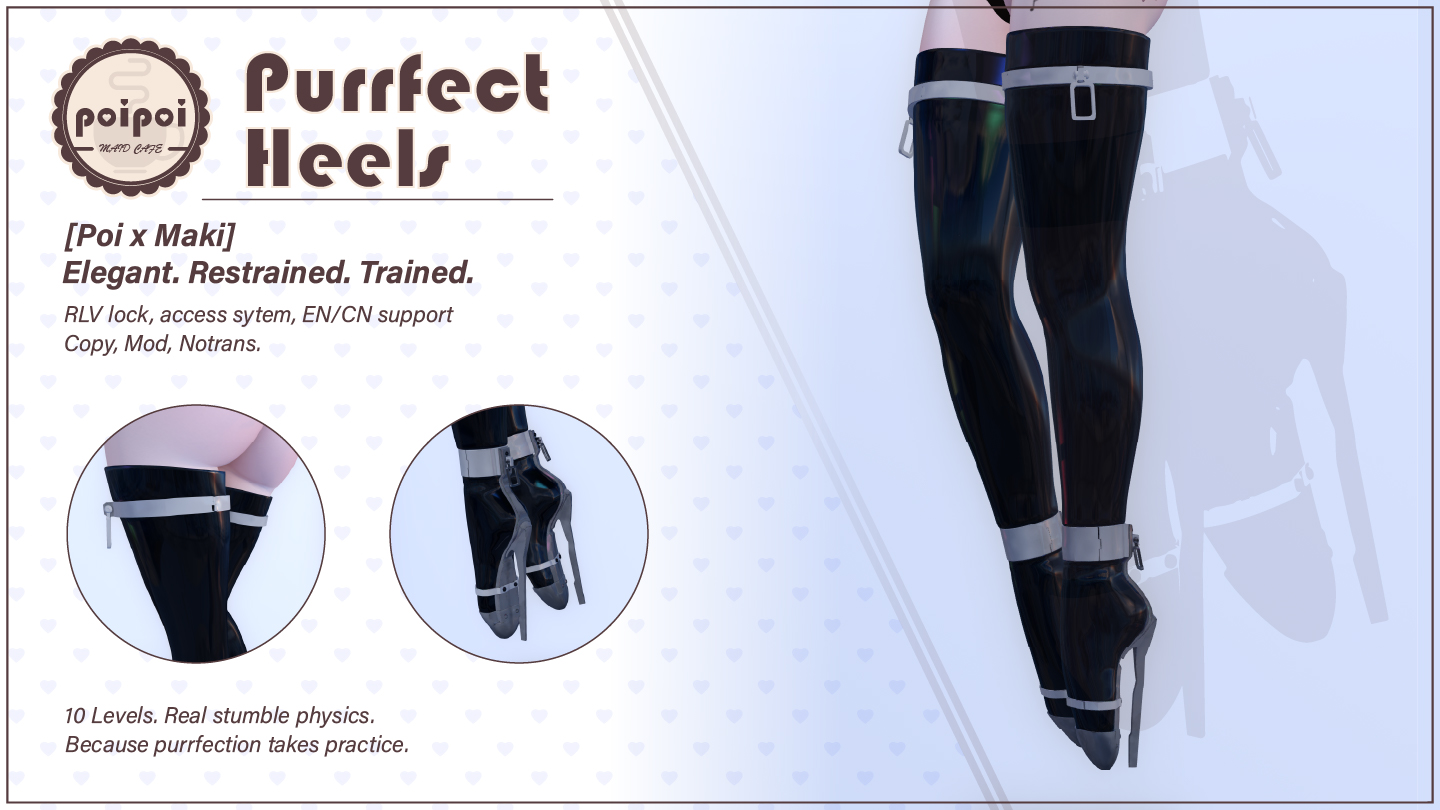
- Progressive Training
- Put them on, enable Training, and earn EXP with every step: 10 levels from novice to master. Higher levels walk faster and balance better, and your title climbs from Novice all the way to Master. Progress saves automatically, so you can take them off and pick up where you left off.
- Realistic Balance
- Balance drains while you walk and regenerates while you stand, shown live as a colored bar above the boots. Green is steady, yellow is wobbly, red is one step from disaster: push your luck and you'll eat the dirt.
- Risk & Reward
- The less stable you are, the faster you level: green zone pays ×1 EXP, yellow ×1.5, red ×2. Play it safe or shave your margins: every step is a choice.
- Stumble & Bumper
- When balance runs low you can stumble every second, and a stumble freezes all movement for 5 seconds. Anyone who bumps into you instantly drains a huge chunk of balance: one nudge from a passerby can bring you down.
- Lock & Keys
- Lock the boots with RLV and they can't come off. The keys can be taken by anyone: from that moment, only the key holder decides when they unlock again. Training works fine unlocked; locking just makes it sweeter.
- Deep Customization
- Every level's title, your heel clicks, and the walk and stumble animations are yours to change in the `Heels.Config` notecard. Four heel-click sounds play randomly per step, and volume adjusts right from the menu.
Changelogv2.0.03 updates — tap to expand
2.0.0
- 4 heel sounds: randomly selected per step (was single sound)
- Volume control: Vol-/Vol+ in Sound submenu (5 levels)
- Jump forward momentum: forward impulse when jumping while pressing forward, scales with level
- Tiered sound intervals: separate step-sound cadence per level range (1-3, 4-7, 8-10)
- Import/Export progress: transfer level data between devices
1.3.0
- Added config file
- Added key system
- Bug fixes
1.2.0
- Added bumper
How it works
Getting Started
- Wear the boots: in your inventory, right-click → Attach.
- Open the menu: touch the boots, or use the chat command:
- Format:
[first two letters of wearer name]heels(case insensitive) - Say it in public chat or on channel 233
- Example: wearer "Alice" → type
alheels
- Format:
- Press Training to enable training mode.
- Walk to gain EXP and level up.
- Watch the balance bar: that's your current stability.
Lock/detach prevention requires an RLV-enabled viewer (e.g. Firestorm, Catznip). Training mode works without RLV.
Heel Levels
You gain 5 EXP per second while walking in training mode, scaled by your balance zone: green ×1, yellow ×1.5, red ×2 (the less stable you are, the faster you level).
| Level | EXP Needed | Title | Max Balance | Walk Speed |
|---|---|---|---|---|
| 1 | 0 | Novice | 100 | 29% |
| 2 | 1,000 | Novice | 120 | 37% |
| 3 | 3,000 | Beginner | 140 | 45% |
| 4 | 7,000 | Beginner | 160 | 53% |
| 5 | 15,000 | Apprentice | 180 | 61% |
| 6 | 30,000 | Apprentice | 200 | 69% |
| 7 | 60,000 | Trainee | 220 | 76% |
| 8 | 120,000 | Trainee | 240 | 84% |
| 9 | 240,000 | Skilled | 260 | 92% |
| 10 | 480,000 | Master | 280 | 100% |
Walk animations change at level thresholds (1–3 / 4–7 / 8–10 each get their own walk). At max level (10) you hit 100% speed, 280 max balance, and the "Master" title: training complete.
Level and EXP save automatically: removing the boots or logging off loses nothing, and progress is restored on re-attach. Other state (lock, access lists) resets.
Access Control
Access menu (Access). Hierarchy: Master → Trusted (max 5) → Public.
| Button | Action |
|---|---|
Owner+ / Owner- |
Scan nearby avatars (10m) to set as master, or remove the current master |
Trusted+ / Trusted- |
Add/remove a trusted user (max 5) |
☑/☐ Self Access |
Wearer's own control on/off (disabling requires a master set first) |
☑/☐ Public Access |
Allow anyone nearby to use the menu |
Settings
Settings menu (Settings):
| Setting | Default | Action |
|---|---|---|
☑/☐ Messages |
On | Training messages (stumble, recovery) |
☑/☐ Float Text |
On | Balance bar above the boots |
☑/☐ AO Walk |
On | Walk animation override |
☑/☐ AO Idle |
On | Idle/standing animation override |
☑/☐ Slow Effect |
On | Movement speed restriction (turn off if you'd rather move freely) |
☑/☐ Stumble Effect |
On | Stumble when balance is low |
☑/☐ Heel Sound |
On | Clicking sound while walking |
☑/☐ Stumble Sound |
On | Sound when stumbling |
☑/☐ Simple Status |
Off | Show only the balance bar (hide level/title) |
☑/☐ Bumper |
On | Avatar collision drains balance |
Admin actions: Renew AO (restart animation overrides, fixes glitches), Set Level (enter 1–10 directly, for testing/setup), Reset Level (back to level 1, with confirmation), Reload Config (re-read the notecard without a restart).
Heel sound volume adjusts in the Sound submenu with Vol- / Vol+ (5 levels).
Advanced customization lives in the Heels.Config notecard inside the boots: one parameter_name = value per line, # lines are comments. You can change each level's title (heels_level_title_N_en / heels_level_title_N_cn, N = 1–10), the heel-click and stumble sounds and their interval, the volume, and the idle/walk/stumble animations (animation names must match items in the boots' inventory). Apply changes with Reload Config or the next wear.