
Paw Punisher
Pet speech shock collar: custom phrase rules, slips get zapped
Paw Punisher watches every word your pet says, and punishes every slip. Define what they must say, what they can never say, and watch obedience become reflex: one wrong syllable triggers a shock and a sensory lockdown they won't forget. A stacking timer makes repeat offenses expensive, RLV restrictions do the holding, and a key-holder system decides who's allowed to make it stop. Bilingual English / Chinese interface.
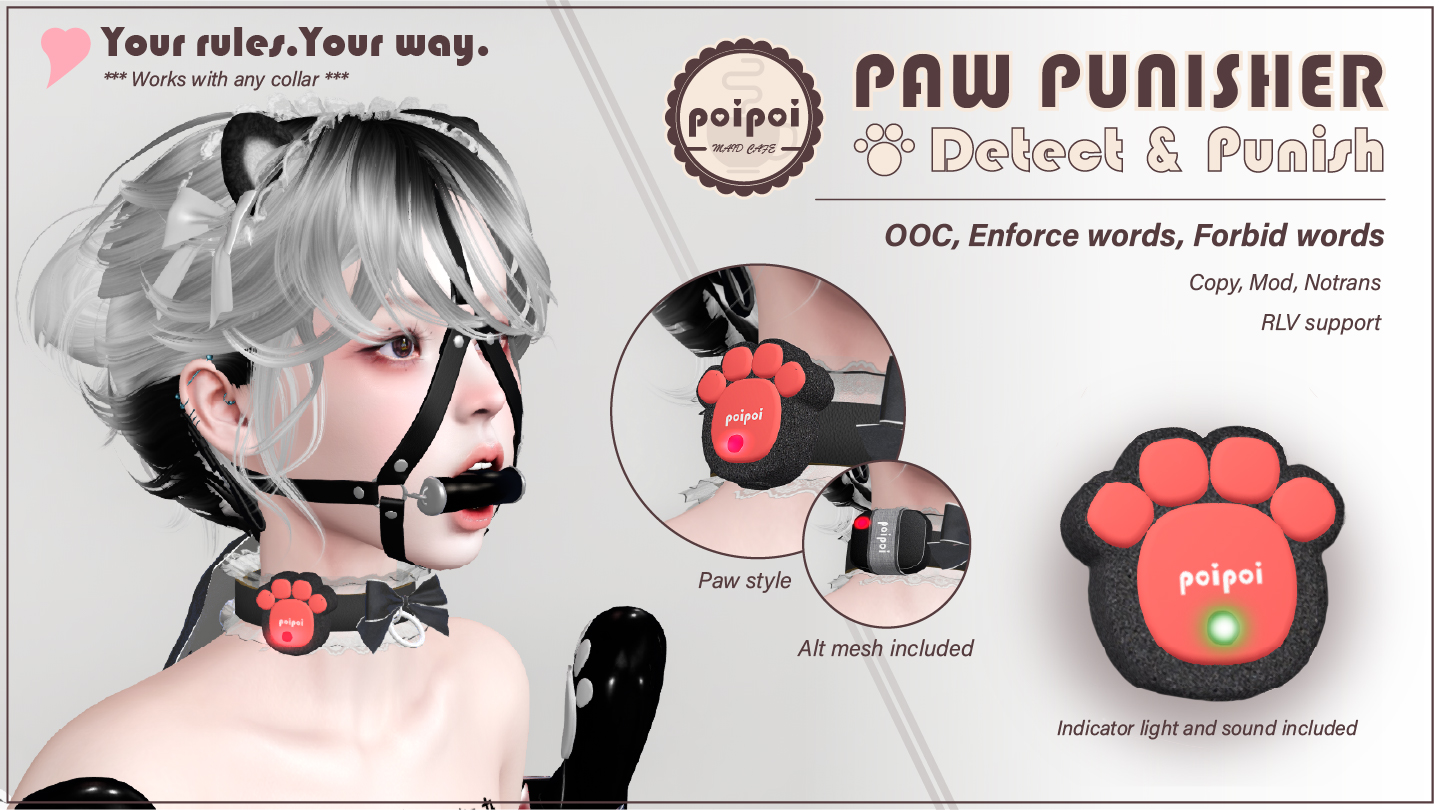
- Word Control
- Up to 10 banned words: speaking any triggers punishment on the spot. Up to 10 enforced words: every message must include one, or else. Violations inside /me emotes are caught too, and out-of-character (( )) brackets don't go unpunished either.
- Punishment That Lands
- The moment a rule breaks, the shock effect hits (particles, sound, and animation together) while RLV restrictions close in: blackout vision, silenced chat, blocked teleport, hidden names and location.
- Stacking Timer
- Each violation adds time to the sentence, and violations accumulate faster than they expire. Three slips at 60 seconds each is three minutes of consequence: learn fast or serve it all.
- Key Holder
- Lock it on and let someone take the keys. With a key holder set, only the holder, the master, or trusted users can unlock, and a wearer who tries without permission gets shocked for the attempt.
- Word Lists That Persist
- Banned and enforced lists survive script resets and detach/reattach, with import/export codes for backing up and restoring your house rules in one paste.
- Voice of Command
- Say the configured trigger word (default `PUNISH!`) and discipline fires without touching a menu: manual punishment on demand, from anywhere in local chat.
Changelogv2.0.15 updates — tap to expand
2.0.1 · June 2026
- Fix: locking the device now correctly prevents detachment via RLV @detach
2.0.0 · June 2026
- Banned and enforced word limit increased to 10
- Word lists now persist through script reset and detach/reattach
- Import/export support for word lists
- /me emotes are now monitored for violations
- Shock effect upgraded
1.1.3 · May 2025
- Menu bug fix
1.1.2 · May 2025
- Added a toggle for showing the ban words when detected
1.1.1 · December 2024
- Increased number of words from 3 to 5
- Added toggle to simplify the message
- Added dark mode to blackout everything
- Added toggle to make the message private
How it works
Getting Started
Paw Punisher is a chat-monitoring punishment device: it listens to what the wearer says, checks it against your rules, and punishes every slip with a shock effect and RLV restrictions on a stacking timer. Interface is bilingual English / Chinese.
Quick Start
- Wear the device.
- Touch it →
Lock. - Configure as needed (word lists, RLV restrictions, settings).
- It's now listening.
Chat Command
Open the menu remotely: type the first 2 letters of the wearer's name + pun in chat. (Wearer "Alice" → alpun. For privacy, use channel 1: /1 alpun.)
Pet Speech
Your rules live in three word lists, each its own menu:
Banned Words (Ban Words)
Punishes when the wearer says any of them (case-insensitive substring match). Up to 10 words or phrases.
| Button | Action |
|---|---|
Ban+ / Ban- |
Add / remove a word |
Clear Ban |
Clear all |
Show |
Print the full list to chat |
Export / Import |
Back up / restore as a §-separated code |
☑/☐ ON |
Enable / disable detection |
Enforced Words (Enforce Words)
Punishes when the wearer speaks without including at least one enforced word. Up to 10. Same button layout as banned words (Enforce+, Clear Enforce, Show, Export / Import, ☑/☐ ON).
OOC Detection (OOC Punish)
Punishes when the wearer uses (( in chat. Single ☑/☐ ON toggle.
Emote Monitoring
The Monitor Emote toggle in Settings (default off):
- Off: emotes (
/me ...) bypass banned/enforced word checks; OOC detection still applies to emotes regardless. - On: emotes are checked the same as regular chat.
Punishment
Triggers
| Trigger | How |
|---|---|
| Manual | Touch → PUNISH! |
| Voice | Say the configured trigger word in chat (default: PUNISH!) |
| Auto | Banned word / missing enforced word / OOC detected |
What a Punishment Does
- Shock effect: particles, sound, and animation together (5s), if enabled.
- RLV restrictions applied: which ones is your choice in the RLV submenu (see RLV Restrictions).
- Each violation adds its duration to the remaining time; punishment stacks. 3 violations at 60s each = 180s total.
Recovery
- Auto: the timer counts down to zero, all restrictions removed.
- Manual: Touch →
Recover(requires access) for immediate recovery.
If the shock animation doesn't play the first time, trigger one punishment manually; that grants the animation permission automatically.
Lock & Key Holder
- Lock the device and it cannot be removed while locked: monitoring runs whether the wearer cooperates or not.
- With a Key Holder set, only the key holder, the master, or trusted users can unlock. A wearer attempting to unlock without permission gets shocked; other unauthorized users see "Access Denied".
Take Keysis visible when no holder is set;Return Keysonly to the current holder. Keys auto-clear on unlock.
Access Control
Menu: Touch → Access.
| Level | Control | Limit |
|---|---|---|
| Master | Full control, always passes strict checks (e.g. unlocking) | 1 |
| Trusted | Full control, but bypassed by strict checks | Up to 5 |
| Self | Wearer control | Toggle (requires a master set first) |
| Public | Anyone can trigger | Toggle |
| Button | Action |
|---|---|
Owner+ / Owner- |
Add / remove master (scans nearby avatars) |
Trusted+ / Trusted- |
Add / remove trusted user |
☑/☐ Self Access |
Toggle wearer self-control |
☑/☐ Public Access |
Toggle public access |
RLV Restrictions
The RLV submenu (Setting → RLV) toggles each restriction individually:
| Restriction | Effect while punished |
|---|---|
| Vision | Blackout vision |
| Listen | Silenced chat |
| Teleport | Teleporting blocked |
| Names | Names hidden |
| Location | Location hidden |
Requires an RLV-enabled viewer (Firestorm, Catznip, etc.). While locked, the device itself cannot be detached.
Lock state, punishment timer, RLV restrictions, and both word lists persist across detach/reattach and script resets.
Settings
Menu: Touch → Setting.
| Setting | Button | Default | Range |
|---|---|---|---|
| Shock effect | ☑/☐ Shock |
ON | N/A |
| Duration per violation | Set Duration |
60s | 5–3600s |
| Voice trigger word | Set Voice Command |
PUNISH! |
Any text |
| Redirect channel | Set Redirect Chan |
0 (off) | Any channel number |
| Simple messages | ☑/☐ Simple Msg |
OFF | N/A |
| Private messages | ☑/☐ Private Msg |
OFF | N/A |
| Dark mode (full blackout) | ☑/☐ Dark Mode |
OFF | N/A |
| Show banned word in alert | ☑/☐ Show Words |
ON | N/A |
| Monitor emotes | ☑/☐ Monitor Emote |
OFF | N/A |
Redirect Channel
For gags that redirect speech to a private channel: enter that channel number so the Punisher can still read the wearer's actual words. Find the number in your RLV viewer's restrictions list; look for your gag's chat-redirect rule (e.g. redirchat:100 → the channel is 100). This setting must be re-entered after a script reset.
Resetting Everything
Unlock → remove master → clear trust → clear word lists → enable self access → enable public access.