
MeowServe Tray
Maid tray system: drink-serving balance challenge, PA2-linked
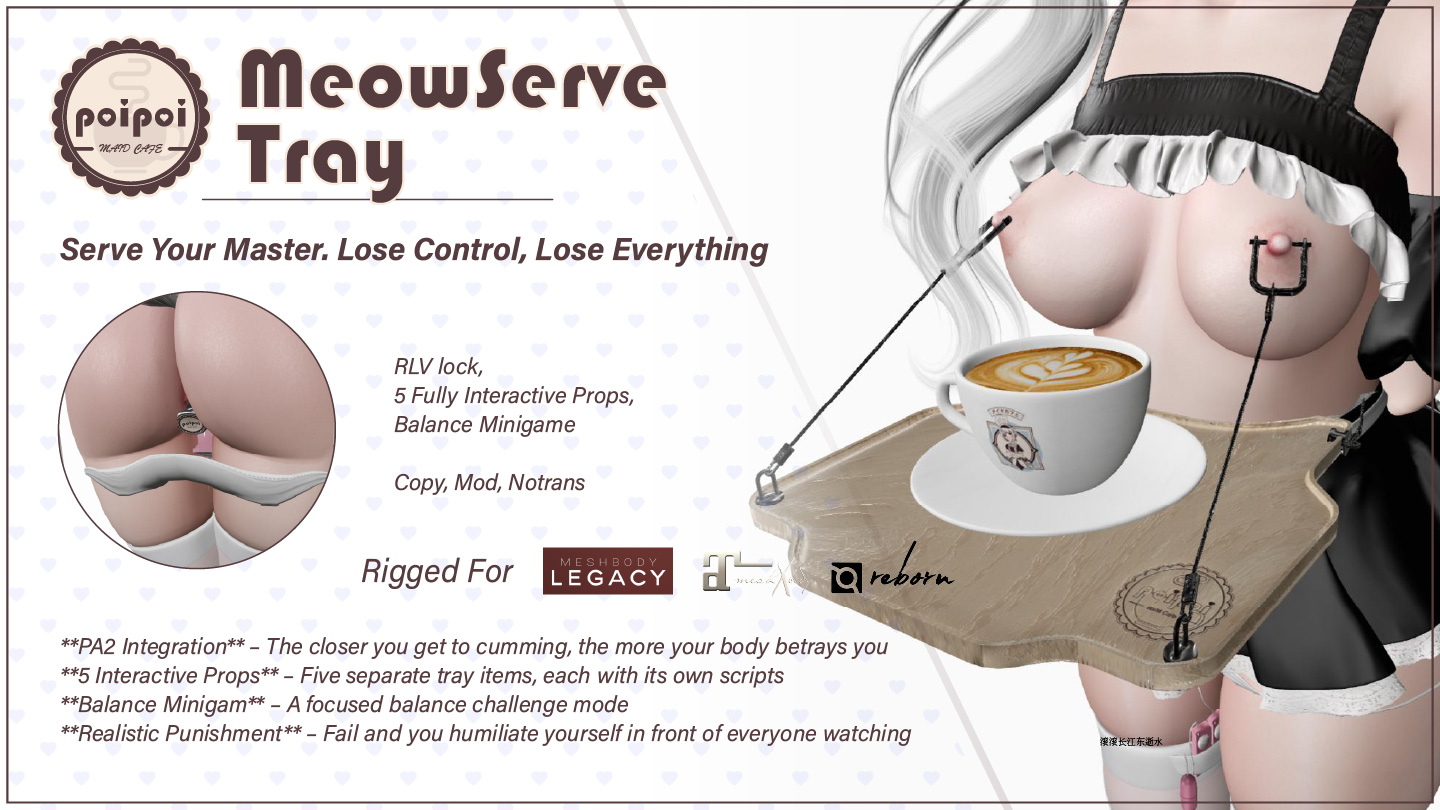
MeowServe Tray is a maid serving system that turns drink service into a balance challenge. It displays one item at a time (a drink, a toy for whoever takes it, or a toy for the one wearing the tray), and lets the people around you help themselves.
Turn on Game Mode and serving becomes a performance: RLV keeps you walking, a balance bar floats over the tray, and every wobble is felt. Coffee machines and toy baskets can load your tray directly, PA2 arousal makes your hands less steady, and with the right drink in the wrong hands, one sip is all it takes.
- Balance Delivery Game
- Turn on Game Mode and every drink becomes a balance challenge: a floating bar drains while you walk and refills while you stand still, bumps and jumps knock you sideways, and a countdown timer pushes you to hurry. Spill, and you're stuck recovering for 5 seconds.
- PA2 Integration
- The tray syncs with PA2 automatically. Higher arousal makes balance drain more often, walking while carrying sends arousal back into you, and a PA2 orgasm can drop you mid-step. The more turned on you are, the harder the tray is to carry.
- Drinks & Toys
- Serve Coffee, or the innocently named Very Normal Coffee, whose true effects only reveal themselves after the first sip. Hand out a Spanker for anyone to use, or load a Dildo or Butt Plug that attaches to you the moment someone takes it.
- Item Issuers
- Compatible coffee machines and toy baskets in the world can place items directly on your tray. Touch one, pick from its menu, and start carrying; with Game Mode on, item issuers are the only way to load up.
- Lock & Keys
- Lock the tray and it can't be taken off. While it's locked, anyone with access can take the keys, and from then on, unlock is decided by whoever holds them.
- Access Control
- Three levels (Owner, up to 5 trusted friends, and public access) decide who can place items, toggle Game Mode, manage the lock and keys, and view settings and statistics.
Changelogv1.0.01 update — tap to expand
1.0.0
- Initial release
How it works
Getting Started
- Wear the tray: in your inventory, right-click → Attach.
- Open the menu: touch the tray body, or say the chat command in local chat: the first two letters of the wearer's name +
tray(e.g. wearer "Alice" →altray). - Press Place Item to choose what to display.
- Toggle Game Mode for the drink-serving balance challenge.
The main menu shows the current status: Owner, version, chat command, current item, lock state, key holder, and Game Mode state.
Locking, teleport blocks and toy attachment require an RLV-enabled viewer (e.g. Firestorm, Catznip). Placing and taking items works without RLV.
Items
Placing an item
Menu → Place Item → select an item. Placing a different item automatically removes the current one. While Game Mode is on, items can only be placed via item issuers (coffee machines, toy baskets).
The selection menu groups items by type:
- Drinks: trigger Game Mode effects
- Toys (DOM, attach to toucher): attach to whoever takes them
- Toys (SUB, attach to tray wearer): attach to the person wearing the tray
Available items:
| Item | Type |
|---|---|
| Coffee | Drink |
| Very Normal Coffee | Drink (special effects, see PA2 Integration) |
| Spanker | DOM toy |
| Dildo | SUB toy |
| Butt Plug | SUB toy |
Taking an item
Click the item on the tray: you must be within 3 meters (You are too far away. Please get closer to take the item.). Drinks and DOM toys attach to the person who clicked; SUB toys attach to the tray wearer via RLV folders.
Give Modes
Configured in the Settings menu:
- Rez Give (default): the item is rezzed/attached as a prop and hides on the tray until recalled.
- Direct Give: the item is given from inventory and stays visible on the tray, so it can be taken repeatedly.
SUB toys always attach to the tray wearer regardless of give mode.
Item Issuers
Compatible world objects can place items directly on your tray:
- Touch the object within its range (default 3 m, Too far away. Please get closer.).
- Choose an item from its menu (Select a drink: / Select a toy:, with a Cancel button).
- The item appears on your tray: Item obtained successfully.
- Coffee Maker (float text "Coffee Maker: Touch for coffee"): offers Coffee and Very Normal Coffee.
- Toy Tray (float text "Toy Tray: Touch for toys"): offers Spanker, Butt Plug, Dildo.
Recalling
Menu → Recall all: clears rezzed props, unwears all SUB toys, and recalls the current item to the tray. In Rez Give mode, a taken item hides until recalled (manually, or automatically when the prop is detached/derezzed).
Game Mode
Toggle with Game Mode in the main menu (Game mode enabled / Game mode disabled). Game Mode resets to off when the tray resets, and only takes effect while a drink is on the tray; toys never trigger it.
While carrying a drink
- RLV restrictions: all teleport methods are blocked, you must walk.
- Slow movement: movement speed is reduced and jumping is disabled.
- Balance bar: a floating bar (10 segments, green → yellow → red) appears above the tray, with the delivery timer countdown (Timer: Xs).
Balance rules
| Event | Effect |
|---|---|
| Moving | Balance drains in random hits (30–60 points each; chance scales 20%–60% with PA2 pleasure) |
| Standing still | Balance regenerates (10 points/second) |
| Bumping into an avatar | −50 balance |
| Jumping / upward movement | −50 balance |
| Balance reaching zero | Stumble animation, spill sound, drink removed, ~5 seconds unable to move |
A spill is announced and counted in statistics; recovery time after a spill is fixed at 5 seconds. While moving you may also draw arousal messages from the nipple-weight stimulation.
Delivery timer
Sets the time limit for delivering the drink (default 60 s, range 1–600, configurable in Settings; can be disabled). The countdown is shown in the balance bar. When it expires, the drink is removed, Game Mode effects end (
PA2 Integration
The tray automatically detects and syncs with a PA2 system:
- PA2 pleasure level scales the balance drain chance (20%–60%).
- Moving while the balance game is active sends PA2 arousal events to the chest plus a forced moan.
- A PA2 orgasm event immediately triggers a stumble.
Very Normal Coffee
While holding it, the holder plays a resting animation and sips periodically. When the holder clicks it to drink:
- Forced orgasm ("super" tier)
- Massive arousal sent to the body
- RLV restrictions applied: touch, HUD, location/minimap/hover-text visibility, teleport, inventory, chat, sitting, shown names and detach are blocked; a vision filter dims the screen
- All effects clear automatically after ~55 seconds
SUB toys and PA2
- Dildo: sends continuous PA2 arousal based on vibration level (Low 25, Mid 50, High 100) while vibrating.
- Butt Plug: while moving, each second has a 20% chance to send arousal plus a forced moan, with an arousing message to the wearer (移动时肛塞在体内摩擦着,强烈的刺激让我忍不住呻吟~♡).
Toys
Spanker (DOM toy)
Attaches to whoever takes it from the tray. While worn, it plays a holding pose automatically; left-click to swing: slap animation with sound.
Dildo (SUB toy)
Attaches to the tray wearer and starts vibrating at Low on attach (Dildo initialized).
- Touch it, or chat
[first 2 letters of wearer name]dildo(e.g.aldildo), to open Dildo Control. - Current level shows as Off / Low ●○○ / Mid ●●○ / High ●●●.
- Buttons:
Off,Low,Mid,High(plus中文/ENto switch language). - Level changes are echoed to the wearer as ●○○ / ●●○ / ●●● / ○○○.
Butt Plug (SUB toy)
Attaches to the tray wearer (Butt plug initialized). Touch it, or chat [first 2 letters of wearer name]plug, to open Butt Plug Control (with language toggle). While moving, it can randomly trigger arousal and moans (see PA2 Integration).
Normal drinks
Normal drinks (e.g. Coffee) play a resting animation in the holder's hand and a sip animation about every 10 seconds.
Access Control
Access menu (Access) shows the current Owner and trusted list. Hierarchy: Owner (Master) → Trusted Friends (max 5) → Public.
| Button | Action |
|---|---|
Owner+ / Owner- |
Pick a nearby avatar (numbered list) as Master, or remove the Master |
Trusted+ / Trusted- |
Add/remove a trusted friend (max 5) |
☑/☒ Self Access |
Wearer's self access on/off: disabling requires a Master to be set first (Must set owner first.); off means the wearer cannot control the tray |
☑/☒ Public Access |
Allow anyone to interact |
Defaults: public access on, self access on. Trusted friends can place items, toggle Game Mode, lock/unlock, manage keys, and view settings and statistics. People added as owner or trusted are notified.
Lock & Key Holder
Lock
Menu → Lock (Locked). Requires access permission. Locking blocks placing/removing items and prevents the tray from being taken off. While locked, the menu shows Unlock, plus Take Keys (if nobody holds the keys) or Return Keys (if you hold them).
Keys
- Take Keys: while locked, anyone with access can take the keys (Key has been taken by
). - Return Keys: only the current key holder can return them (You have no keys to return. / You can only return your own keys.). Returning the keys unlocks the tray.
- Keys automatically return when the tray is unlocked.
Who can unlock
| Key holder | Who can unlock |
|---|---|
| Master | Only the Master |
| Trusted friend | Key holder, Master, and other trusted friends |
| Someone else | Key holder, Master, and trusted friends; not the wearer, even with self access |
If the keys are held by someone else, the wearer cannot unlock the tray, even with self access enabled. Only the holder returning the keys (or the Master / trusted friends) can end it.
Settings
Settings menu (Settings):
| Setting | Options / Default | Notes |
|---|---|---|
| Give Mode | ☑Direct Give / ☑Rez Give (default: Rez Give) |
How items are given when taken |
| Timer | ☑Timer / ☐Timer (default: on) |
Delivery time limit in Game Mode |
| Set Timer | Set Timer → 1–600 seconds (default 60) |
Invalid input: Invalid input. Please enter a number between 1 and 600. |
| Slow Effect | ☑Slow Effect / ☐Slow Effect (default: on) |
Slow movement / jump-block while carrying a drink |
Statistics
Menu → Stat (Game Mode only):
- Drinks Taken: successfully delivered drinks (
took a drink! Total: N ) - Drinks Dropped: drinks spilled from balance loss (
spilled a drink! Total spills: N )
Buttons: Reset (Statistics reset.) and Return. Statistics are not permanent: they reset when the tray resets.
Language
Switch anytime with the 中文 button in the main menu (EN in the Chinese menu). All menus, messages, notifications, errors, stats and settings are translated, and the preference is shared with the attached toys.
Configuration notecards
| Notecard | Parameters |
|---|---|
Tray.Config (tray) |
SPILL_MESSAGE_EN, SPILL_MESSAGE_CN: custom spill message shown when balance is lost (the wearer's display name is prepended). Must not contain ` |
Coffee.Config / VeryNormalCoffee.Config (drink objects) |
DRINK_TYPE_EN, DRINK_TYPE_CN: localized drink names. |
ItemIssuer.Config (coffee maker / toy basket) |
FLOAT_TEXT, CLICK_DISTANCE (0.5–20 m, default 3), MSG_MENU (supports {drinks}/{toys} placeholders), MSG_BUTTON_CANCEL, MSG_ERROR_NO_ITEMS, MSG_ERROR_TOO_FAR, MSG_CONFIRMATION, and item lines itemObjectName:itemType|label. |
Chat Commands
Chat commands, said in local chat:
| Command | Effect |
|---|---|
[first 2 letters of wearer name]tray (e.g. altray) |
Open the tray menu |
[first 2 letters of wearer name]dildo (e.g. aldildo) |
Open the Dildo Control menu |
[first 2 letters of wearer name]plug (e.g. alplug) |
Open the Butt Plug Control menu |
RLV Restrictions
MeowServe Tray uses RLV for:
- Locked tray: the tray cannot be taken off while locked.
- Game Mode + drink: all teleport methods are blocked; you walk, or you spill.
- SUB toys: force-attached to the wearer and locked on.
- Very Normal Coffee: after drinking, touch, HUD, location, minimap, hover text, teleport, inventory, chat, sitting, shown names and detach restrictions, plus a dimming vision filter, for ~55 seconds.
These features need RLV; the rest of the tray works without it.