
Latex Doll Suit
Realistic PBR latex and a remote-controlled crane
A full-body latex second skin with photoreal PBR shading, a remote-controlled crane your keyholder can use to hang you in a suspended display pose, and total control over your movement, camera, and escape once you're locked in.
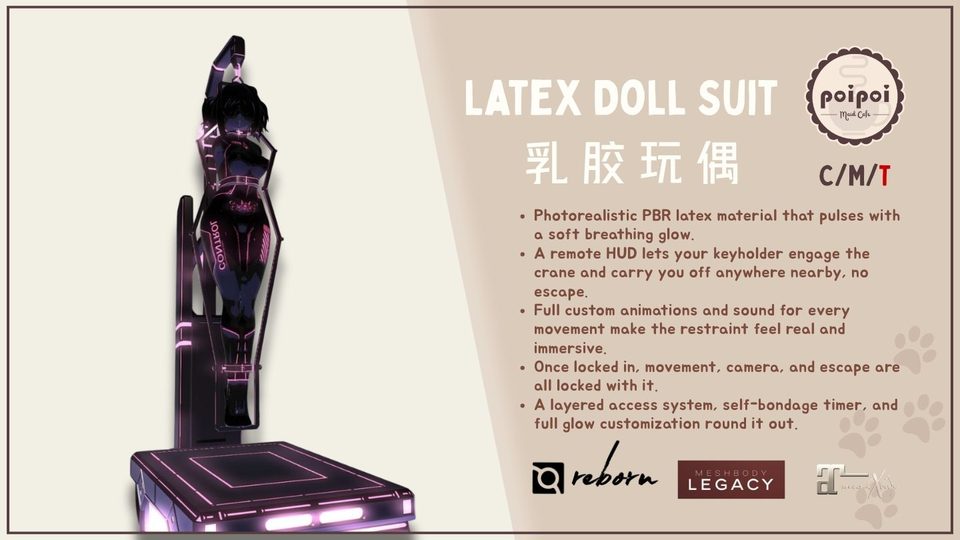
- Realistic PBR Latex
- Photoreal material shading with glow and a slow breathing pulse. Your real body vanishes the moment you wear it, replaced by a seamless doll finish.
- Remote-Controlled Crane
- Your keyholder engages the crane from their remote HUD and hauls you into a suspended display pose, with full drive over movement and Follow while nearby.
- Total Control
- Once locked, movement, camera, and escape all lock with it. Heavy, slowed steps replace your stride; flying and running are blocked outright.
- Access Control & Key Holder
- Layered permissions for owner, key holder, trusted users, and public, each with their own reach, plus per-feature RLV toggles you control independently.
- Self-Bondage Timer
- Lock yourself in with a countdown and no way to back out early. The suit unlocks itself the moment the timer hits zero.
Changelogv1.0.01 update — tap to expand
1.0.0 · July 2026
- Initial release
How it works
Getting Started
- Right-click the suit in your inventory and choose Attach.
- On first wear, the suit finds its body alpha mask and copies it into your RLV folder automatically. Your real body disappears under the latex.
- Touch the suit, or say your personal menu command in local chat, to open the main menu.
Your personal menu command is shown to you, the wearer only, the first time the menu loads. Keep it private.
Lock & Key Holder
Locking the suit engages detach protection, so it cannot be removed while locked. Once locked, anyone can take the keys while there is no current key holder, gaining control over unlocking and access. The key holder can return the keys at any time. Unlocking always clears the key holder and any active self-bondage.
Self-Bondage Timer
Set a duration and start a countdown with no keyholder and no way to back out early. Choose Real Life time, which keeps counting down even while detached, or Game Time, which pauses while you are not wearing the suit. The suit unlocks itself automatically the moment the timer hits zero.
Self-Bondage locks you in with no manual override until the timer ends or a key holder releases you early.
Crane Display Mode
While locked, toggle Crane to suspend yourself in a held display pose. With Self Control on, the default, you can still move around at a faster pace while suspended. Turn it off and you are frozen in place with your camera locked to a fixed distance.
RLV Restrictions
Available while locked, split into three independent groups, Touch, Build, and Movement, each with its own Clear All. Unlocking always clears every rule across all three groups.
Access Control
Set or clear an Owner, add and remove Trusted users, and control whether you can open the menu without a key holder (Self Access) or whether strangers can interact with it at all (Public Access).
Settings
- Movement gives independent toggles for slow, idle, walk, sit, and jump behavior.
- Crane adjusts suspension height, step size, and the camera lock used while frozen.
- Resizer is a per-axis fit tool for the suit.
- Glow sets preset or custom color, intensity, and a slow breathing pulse, on by default.
- Give Remote hands the Remote HUD to a trusted person, at the same access tier as Crane and Follow.
Remote Control HUD
Give a trusted person the Remote HUD so they can drive your movement, toggle Follow, and open your menu while nearby. Holding the HUD does not make someone your owner. It reuses whatever permission tier is already set in Access, and rechecks it on every action. The HUD talks to your suit over a short range, so they will need to stay close to keep control, and pairing has to be re-established each session.