
Guilty Shackles
Cyber cuffs & chains restraint set with lock & key-holder control
A cyber-punk cuff and chain restraint set with lock & key-holder control, pose-driven animation overrides, a geofencing monitor with a free-roam allowance, a leash, voice and remote triggers, and deep customization. Try the demo in-store.
Fit notice: everything except the collar is rigged mesh — the cuffs and chains cannot be resized or repositioned, only the collar can. Tested fit is Legacy, Reborn, and Maitreya only. Please try the store demo before buying.
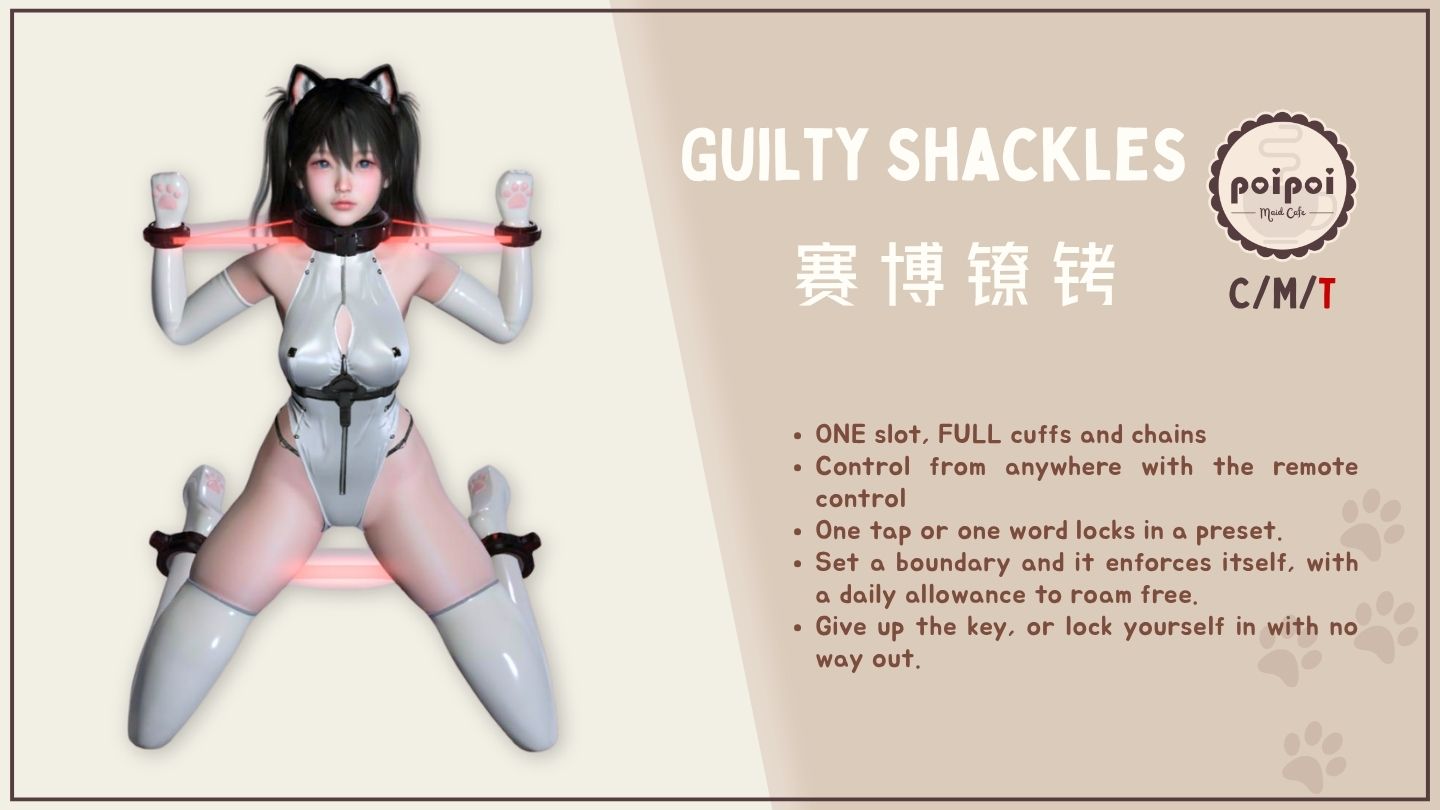
- Lock & Key Holder
- Owner or key holder controls the lock; hand the key off or reclaim it any time. Lock yourself in with a self-bondage timer, with an early-release path if you change your mind.
- Restraint Protocols & Voice Triggers
- Three saved pose presets, ready to trigger instantly from the menu, a remote HUD, or your own spoken trigger words.
- Pose-Driven Movement
- Hogtie, kneel, hopping, and taut-walk animation overrides that react to how you move, plus a charge jump you can pull off even while restrained.
- Geofencing Monitor & Yard Time
- Set an anchor and allowed/blocked parcels, with a daily allowance of free-roam minutes before warnings, shock, restrain, or recall kick in.
- Leash
- Grab, anchor, or collar-link with adjustable length and a follow system that keeps pace with you.
- Make It Yours
- A per-piece resizer, customizable glowing chain color, and a full bilingual English/Chinese menu.
How it works
Getting Started
[Poi x Maki] Guilty Shackles is an RLV/BDSM cuff set with lock & key-holder control, access tiers, poses/AO, restraint protocols (presets), voice triggers, a leash, a geofencing monitor with a yard-time allowance, a resizer, a shock effect, customizable chain color, and an optional cross-region remote control HUD.
Everything except the collar is rigged mesh — the wrist cuffs, ankle cuffs, and chains are fixed to the body shape and cannot be resized or repositioned; only the collar can be adjusted (via the resizer). Fit has only been tested on Legacy, Reborn, and Maitreya. Please try the store demo before buying — fit on other bodies is not guaranteed.
- Right-click the Guilty Shackles item in your inventory and choose Attach (or attach it to your preferred point).
- Open the menu by touching the cuffs, or by typing the chat command shown in the menu header (format: first two letters of your name +
gs, e.g.Jogs) on chat channel 0 or 1. - On first wear the cuffs announce
SYSTEM ONLINE · v<version>and the chat command to use.
The main menu title is === [Poi x Maki] Guilty Shackles ===, showing the version and the exact chat command.
Lock & Key Holder
- LOCK: anyone with access engages the lock; chat feedback:
LOCK ENGAGED. - UNLOCK: releases the lock, key holder, and self-bondage state; feedback:
LOCK RELEASED. If not locked:ERR: LOCK NOT ENGAGED. - TAKE KEY: claims key-holder authority over the wearer while locked (only when nobody currently holds the key and self-bondage is not active); feedback:
KEYHOLDER: <name>. - RETURN KEY: the key holder (or Master) gives the key back; feedback:
KEY RETURNED. Anyone else attempting this getsERR: KEYHOLDER OR OWNER ONLY. - While a key holder is set (or self-bondage is active), only the key holder, Master, or a Trusted user can unlock or access feature modules: anyone else (including the wearer) is denied with
ACCESS DENIED. - A wearer who is denied access while locked (self-bondage or key-holder situations) can be punished with a delayed shock if TAMPER SHOCK is enabled in Settings (default on).
Access Control
Open via 🔐 ACCESS from the main menu.
- Owner (Master): full control always.
👤 OWNER+scans nearby avatars and lets you pick one;👤 OWNER-clears the Owner. - Trusted:
❤ TRUSTED+scans and adds (max 5);❤ TRUSTED-removes one from a list. - ☑/☐ SELF ACCESS: toggles whether the wearer can use the main menu themselves (cannot be disabled until an Owner is set:
ERR: SET OWNER FIRST). - ☑/☐ PUBLIC ACCESS: toggles whether non-trusted strangers may open the menu / feature modules at all.
- ☑/☐ ACCESS LOCK: Owner-only: when on, the wearer cannot open the Access menu (they get
ACCESS DENIED); other menus are unaffected. The wearer and Trusted users can see the state but cannot toggle it (ERR: MASTER ONLY). Cleared automatically when the Owner is removed. Does not survive a script reset. - Feedback messages:
OWNER: <name>,OWNER AUTHORITY GRANTED(to new owner),OWNER CLEARED,TRUST +<name>,TRUST AUTHORITY GRANTED,TRUST -<name>,ERR: ALREADY OWNER,ERR: TRUST LIST FULL (5),ERR: ALREADY TRUSTED,ERR: TRUST LIST EMPTY,ERR: MASTER ONLY.
Binding & Poses
Open via 🧎 POSES (shows current Upper/Lower/Full selections).
- UPPER poses: Back Straight Low, Back Straight High, Back Low, Back High, Back Head, Front Low, Yoke, Loose, or Release.
- LOWER poses: Kneel, Kneel Open, M Open, Taut, Tight, Loose, or Release. Taut/Tight apply a movement slowdown (governed by the Slow Effect setting) and replace the sit-on-ground animation with a kneel; Kneel-family poses always block movement.
- FULL poses: Hogtie, Squat, or Release. Hogtie allows slow movement; Squat prevents movement and jumping. Selecting a Full pose clears Upper/Lower, and vice versa.
- ⏹ RELEASE ALL: clears every pose at once.
- Selected poses are marked ☑; unselected ☐.
Protocols
Presets
Open via 💾 PROTOCOLS from the main menu (locked cuffs only). Three fixed slots (PRESET 1/2/3), each showing its current bind summary (e.g. a pose combo, or NO DATA if empty).
Per-slot editor: 🧎 UPPER / 🧎 LOWER / 🧎 FULL (assign that slot's pose from the same option lists as above), ⛓ RLV (a 14-item rule checklist plus a camera-distance limit for this slot: see below), 🗑 CLEAR, ▶ APPLY (apply this slot immediately), ⏹ RELEASE ALL, ↩ BACK.
Each slot also carries its own RLV rule set (⛓ RLV in the editor): the same 14 restrictions as the RLV menus (far touch, touch, world, touch self, touch HUD, gesture, inventory, edit, rez, view content, teleport, sit, unsit, map) plus an independent camera-distance limit, checked per slot in advance. Applying the preset puts its rule set on alongside the poses; releasing the preset, switching to another slot, or unlocking takes it off. This set is fully independent of the lock-time global RLV toggles: neither overwrites the other.
Applying a preset from a non-menu source (voice, tracking punishment, or the remote HUD) is restriction-delayed: the wearer is warned (⚠ PROTOCOL INCOMING: PRESET <n> IN 1s) and it fires one second later; it requires the cuffs to be locked. Applying from the menu itself is immediate.
Voice Triggers
Open via 🎙 TRIGGERS (inside PROTOCOLS). Voice commands are heard on chat channel 0 and only obeyed from the Master, a real Key Holder, or a Trusted user.
- 📖 SHOW TRIGGERS: whispers the current active key list to you.
- WORD 1 / WORD 2 / WORD 3: set a custom trigger phrase for Preset 1/2/3 (default: "protocol one" / "protocol two" / "protocol three"; blank input restores the default).
- ⚡ SHOCK: set a custom shock trigger phrase (default: "shock"); only works while locked.
- ⏹ RELEASE: set a custom release phrase (default: "protocol off").
- 🔄 RESET: restores all five trigger words to factory defaults (with a confirmation dialog first).
- Duplicate words across the five slots are rejected:
ERR: DUPLICATE WORDS.
Leash
Open via 🔗 LEASH (locked cuffs only).
- 🔗 GRAB: the toucher grabs the leash directly (LockGuard/LockMeister handshake attempted first, falls back to a direct avatar leash).
- ⚓ ANCHOR: scan and leash to a nearby object.
- ⛓ COLLAR: leash collar-to-collar with another avatar's compatible collar.
- 💥 YANK: the current leash holder can yank the wearer toward them.
- 📏 LENGTH: step-adjust submenu: ▲/▼ to change length (1–20m), ⇅ to cycle the step size (0.5 / 1 / 5m).
- 🔓 REMOVE: detach the leash.
- Feedback includes
LEASH ENGAGED,LEASH RELEASED,LINK WEAK · TARGET OUT OF RANGE · HOLDING,LINK RESTORED,ERR: TARGET LOST · LEASH RELEASED,ERR: LEASHHOLDER ONLY,LINKING…. - Unlocking the cuffs auto-releases the leash.
Monitor & Yard Time
Open via 🛰 MONITOR from the main menu. Shows a status line (Fence ON/OFF | Punish ON/OFF | Yard ON/OFF), the anchor and its parcel, and counts for Allow/Disallow parcel lists.
- 📌 SAVE ANCHOR: saves your current location as the recall point.
- ✨ FORCE TP (Master only, when an anchor is set): recalls the wearer to the anchor immediately.
- ☑/☐ REPORTS: toggle whether the Master gets IM notifications of violations, teleports, and logins.
- 📝 ALLOW PARCELS: up to 5 parcel-name substrings the wearer is allowed on; add current parcel, add by typed text, remove, or clear.
- 🚫 DISALLOW PARCELS: up to 5 forbidden parcel-name substrings (checked first; takes priority over the allow list).
- 📏 DISTANCE LIMIT: step-adjust submenu: toggle on/off, ▲/▼ to change the max distance from the anchor (5–500m), ⇅ to cycle the step (1/5/10m).
- 🚨 PUNISHMENT: configures what happens on a violation:
- ⛓ RESTRAIN: cycles which preset slot (1/2/3, off, or Progressive) is applied on violation; Progressive escalates through slot 1 → 2 → 3 with each successive violation.
- ☑/☐ AUTO TP: whether the wearer is force-teleported back to the anchor if the grace period expires.
- ☑/☐ SHOCK: whether a shock fires on the violation warning (default on).
- GRACE: step-adjust: seconds (1–60) the wearer has to return before punishment executes.
- Restrain and Auto TP cannot both be off at once:
ERR: RESTRAIN AND RECALL BOTH OFF.
- 🕐 YARD TIME: an allowance of free-roam time outside the fence:
- ☑/☐ YARD TIME: enables the feature.
- ▶ START YARD / ⏹ END YARD (Master/Trusted only): begins or ends a yard session; while active, the toggleable RLV restrictions are lifted and the punishment pipeline is suppressed.
- QUOTA: step-adjust allowance duration in minutes (1–720; default 10).
- 🔄 REFILL: manually restores the allowance to full.
- ☑/☐ DAILY RESET: automatically refills the allowance at SL (Pacific) midnight (default on).
- GRACE: step-adjust: seconds (1–60) after yard time runs out before punishment executes (default 60).
- The allowance only drains while the wearer is actually outside the allowed area; returning inside pauses the countdown.
Violation warnings look like ⚠ BOUNDARY VIOLATION · RETURN IN <n>s OR RECALLED TO ANCHOR; yard-timeout warnings look like ⚠ YARD ELAPSED · RETURN IN <n>s....
RLV Restrictions
Open via ⛓ RLV from the main menu: organized into four groups (TOUCH / BUILD / MOVEMENT / CAMERA), each a checklist of optional restrictions that apply only while locked:
- TOUCH: Far Touch, Touch, World, Touch Self, Touch HUD, Gesture
- BUILD: Inventory, Edit, Rez, View Content
- MOVEMENT: Teleport, Sit, Unsit, Map
- CAMERA: a mutually-exclusive camera-distance limit — 0m (forces mouselook), 1m, 2m, 3m, or off
Each group has its own 🧹 CLEAR ALL, and the hub has an overall 🧹 CLEAR ALL. Toggled restrictions apply/lift immediately if the cuffs are currently locked.
Core restrictions applied automatically while locked (not user-toggleable): the cuffs cannot be removed, and fly/run are blocked whenever the current pose restricts movement. During an active Yard Time session, all optional (toggleable) restrictions are temporarily lifted; core restrictions and the Master's always-accept-teleport rule are unaffected.
Settings
Open via ⚙ SETTINGS from the main menu.
- ☑/☐ SLOW EFFECT: enables/disables the movement slowdown for Taut/Tight lower poses (Hogtie, Squat, and Kneel-family poses restrict movement regardless).
- ☑/☐ GRABBER: enables/disables letting others touch-and-drag the wearer (default on).
- ☑/☐ TAMPER SHOCK: enables/disables the delayed shock applied when the wearer (while locked) tries and fails an access-gated action (default on).
- ☑/☐ AUTO HIDE: when on, the bolt/collar-padding mesh parts stay hidden except while a pose is active (the bolt also requires the cuffs to be locked); switching it off restores the always-visible default at any time.
- 📡 GIVE REMOTE: gives you a copy of the "[Poi x Maki] Guilty Shackles Remote Ctrl" HUD item.
- 📐 RESIZER (owner only): opens the linkset resizer.
- 🎨 CHAIN COLOR: opens a text box to type a custom chain color as
<r,g,b>with each component between 0 and 1 (e.g.<1.0,0.5,0.0>); confirms withChain color set to <v>.or rejects invalid input withInvalid color vector, use <r,g,b> 0-1, e.g. <1.0,0.5,0.0>.
Resizer
Owner-only submenu (Settings → RESIZER) that scales the collar/cuff/electrode mesh parts as a group: buttons for -10% / -5% / -1% / +1% / +5% / +10%, and ↺ RESTORE DEFAULT to return to the original size. Scaling is clamped to Second Life's prim size limits, with a warning if clamped.
Chain Color
Set your own chain/glow color from Settings → 🎨 CHAIN COLOR (see above), or use the separate Color HUD accessory for this product, if you own it, to color the cuffs, bolts, padding, and glowing chains from a palette.
Punishment
Shock
⚡ SHOCK on the main menu (locked cuffs only, subject to the same access rules as other feature modules) triggers a ~5-second shock effect: animation, sound, and a vision-darkening overlay. Feedback: ⚡ DISCHARGE EXECUTED. Remote-triggered shocks (voice, remote HUD, or the punishment pipeline) beep and warn the wearer first, firing one second later (⚠ INCOMING: SHOCK IN 1s).
Remote Control HUD
Get a copy via Settings → 📡 GIVE REMOTE. This is a separate wearable HUD for a Master/Trusted/Key-Holder to control the cuffs, in-region or across the grid:
- Power button: not paired: starts a scan to pick and pair with a nearby wearer. Already paired: toggles the cuffs' lock state.
- P1 / P2 / P3: apply Preset 1/2/3.
- RELEASE: releases all poses (does not affect pairing).
- RESET: unpairs the HUD from its wearer.
- MENU: opens the wearer's main menu for you (must be within 20m; not relayed cross-region).
- SHOCK: triggers the shock effect.
- LEASH: opens the wearer's leash menu for you (must be within 20m; not relayed cross-region).
All commands except pairing require the cuffs to be locked; an unlocked-target command shows "Press the power button to lock first." on the HUD. Any number of masters may pair the same wearer's HUD concurrently. If your access is revoked, the HUD automatically unpairs and reports it.
Self-Bondage Timer
Open via ⏱ TIMER from the main menu.
- Set a duration using +1MIN / +5MIN / +30MIN / +1HR, or 🔄 RESET to clear it. Toggle Real Life vs Game Time mode with the timer stopped. Duration is capped at 30 days; further add-time presses are clamped to the cap (
ERR: MAX 30d/ERR: ALREADY AT 30d MAX). - ▶ START begins the countdown; ⏹ STOP cancels it (blocked while self-bondage is active).
- While running, key-permission users (Master/Key Holder/Trusted) can extend the timer with the same add-time buttons.
- 🔒 SELF-BONDAGE (wearer only, timer stopped, no key holder set): locks the cuffs and blocks the wearer from unlocking until the timer expires; message:
SELF-LOCK ENGAGED · UNLOCK BLOCKED. Only Master/Key Holder/Trusted can 🔓 RELEASE it early. - On expiry: if it was a self-bondage session, the wearer regains the right to unlock (
TIMER ELAPSED · UNLOCK AVAILABLE); otherwise the cuffs auto-unlock (TIMER ELAPSED · AUTO-UNLOCK). - ☑/☐ PUBLIC EXTEND (wearer/key-permission only): when on, any public-tier stranger can add time to a running timer via a simplified add-time dialog, limited to one addition per 5 minutes shared cooldown.
- If a script reset wipes an in-progress self-bondage countdown, the lock right is automatically returned:
TIMER LOST · UNLOCK AVAILABLE.